
Palette, recently used and runtime
Studio 0.1.299 includes the new palette and the inline runtime previously tested locally as 0.1.298. GitHub update.
Miniatures and descriptions
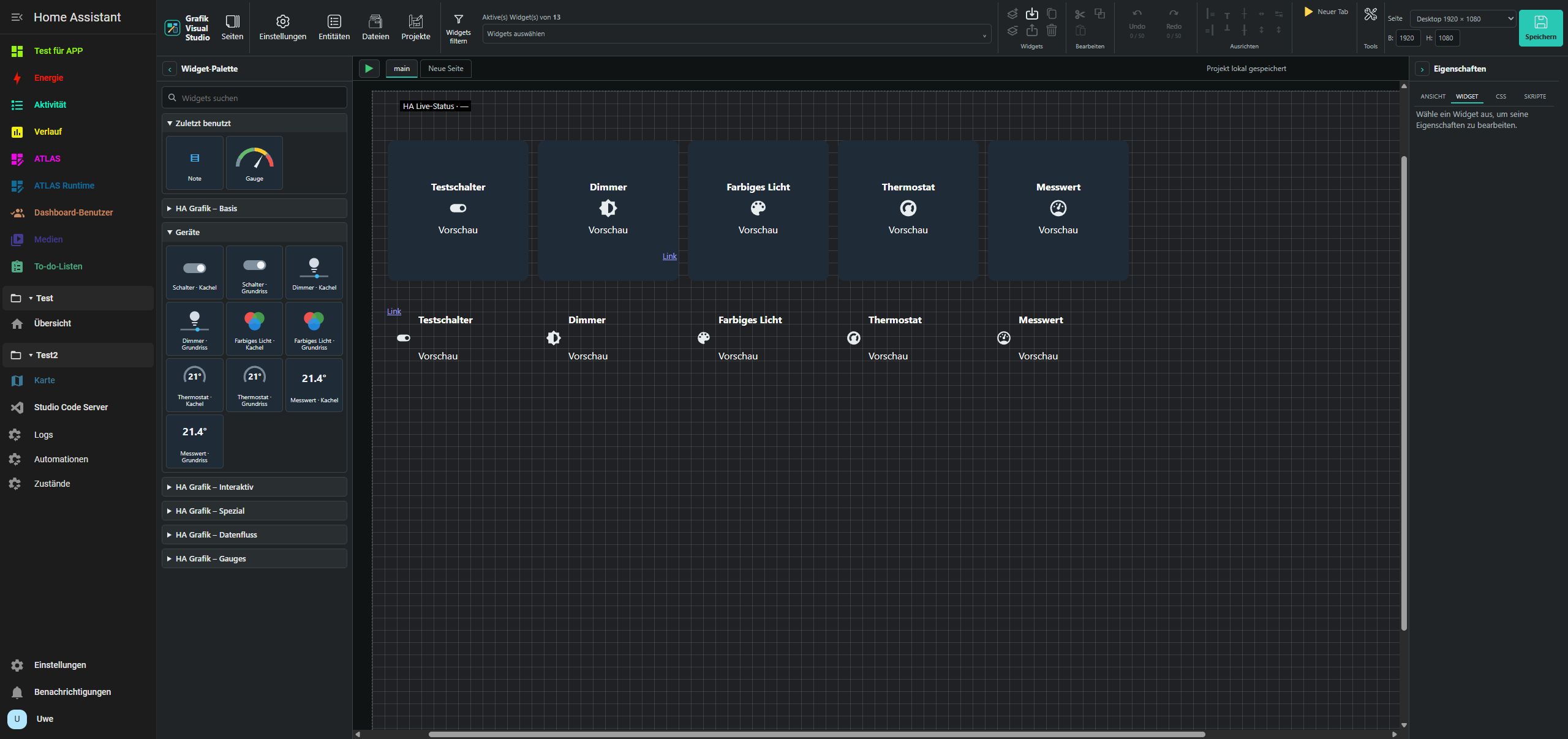
The palette displays three equal tiles per row: miniature above, name below. Gauges use their own renderers with preview values; devices and clocks use Studio-owned static miniatures. Existing package images are retained. Hovering or keyboard focus opens a larger preview with a short description. UGSo sets and SVG-Line/LineBox/Math display names only. Previews never operate devices.
Recently used
The independently collapsible Recently used section sits directly below search. It contains up to twelve distinct widget types, most recently inserted first. Inserting the same type again moves it to the front without creating a duplicate. Tiles, miniatures and descriptions match the regular palette.
Clicking inserts a new widget using the type’s defaults, not a copy of the last edited widget. Importing, pasting from the clipboard or merely selecting a widget does not change the list. Palette search also filters recent entries. Types from uninstalled packages are not offered; reinstalling a package can make them reappear.
The list and collapse state survive reloads and app updates in the same browser profile and web address. They are not synchronized between devices or exported with projects. Clearing browser data resets them. If browser storage is blocked, the list remains usable for the current session. Other settings and project files are unchanged.
Runtime over the canvas
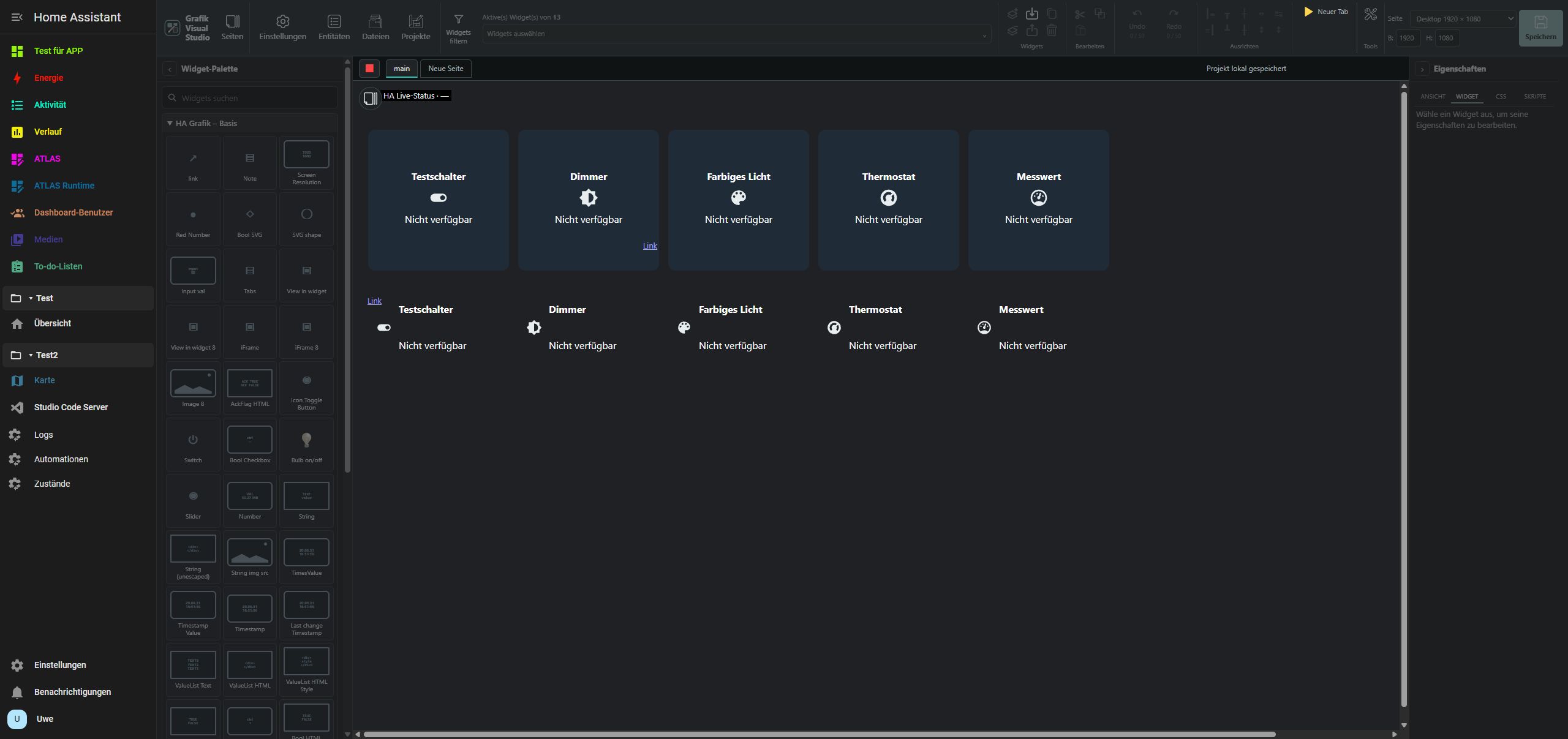
▶ beside the page tabs saves the current project and starts an isolated runtime over the canvas. ■ stops it. Palette, properties and editing tools, including shortcuts, are dimmed and locked. Page navigation and the separate runtime window remain available. Failed saves prevent runtime from starting.
Stopping restores the original editor page with selection, history and scroll position. Preview navigation does not change the editor page. Embedded own-tab widgets retain their starting context. The old Editor/Runtime mode links at the top are removed; New tab still opens the standalone runtime. Runtime widgets can operate real HA devices as before.
Preservation and verification
Existing projects, widget types, CSS and color settings remain intact. New browser preferences use a separate storage key. No VIS-2 code or artwork was copied for these features.
On November 8, 2026, 0.1.299 was verified on the ARM test system (Pi 5) (HA 2026.11.0/ARM64) and PC (64) test system (HA 2026.10.4/amd64): recent thumbnails, ordering without duplicates, insertion, collapse and persistence after reload, and locking during inline runtime. Test insertions were undone; the existing 13 and 11 widgets were preserved. The palette and start/stop were also checked with save, page navigation and returning to the editor. All 23 JavaScript and 17 Python tests passed. Details: source and test reports.