Automation Status Card

0.1.3 · DE / EN / FR · MIT
GitHub · Download 0.1.3 · Documentation
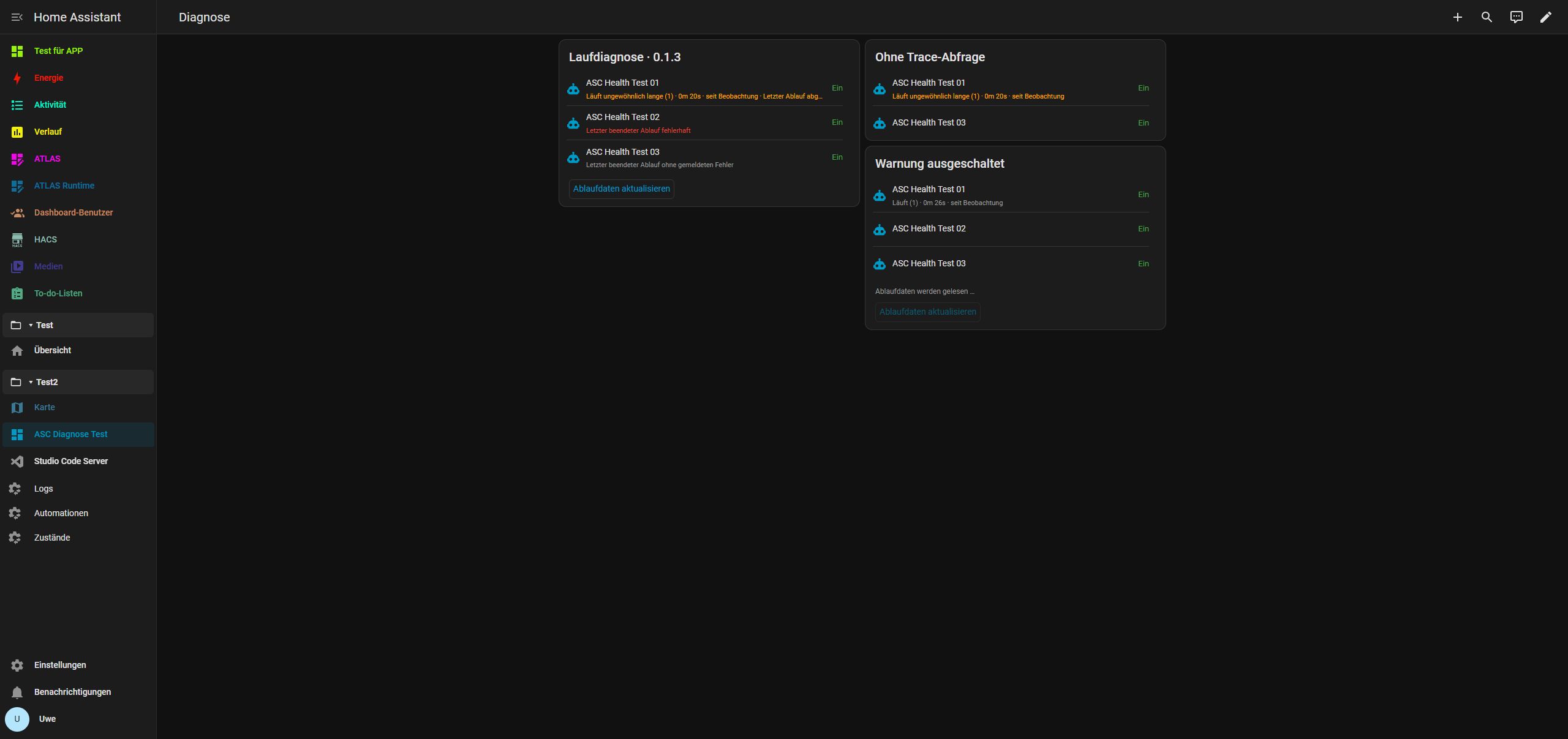
Verified on .177 with HA 2026.10.4: the 0.1.0 base card and selection/diagnostics in corrected version 0.1.3. Actual HA traces, failure, normal completion, running warnings, disabled warnings, checkboxes and saved selection passed. Report and screenshots.
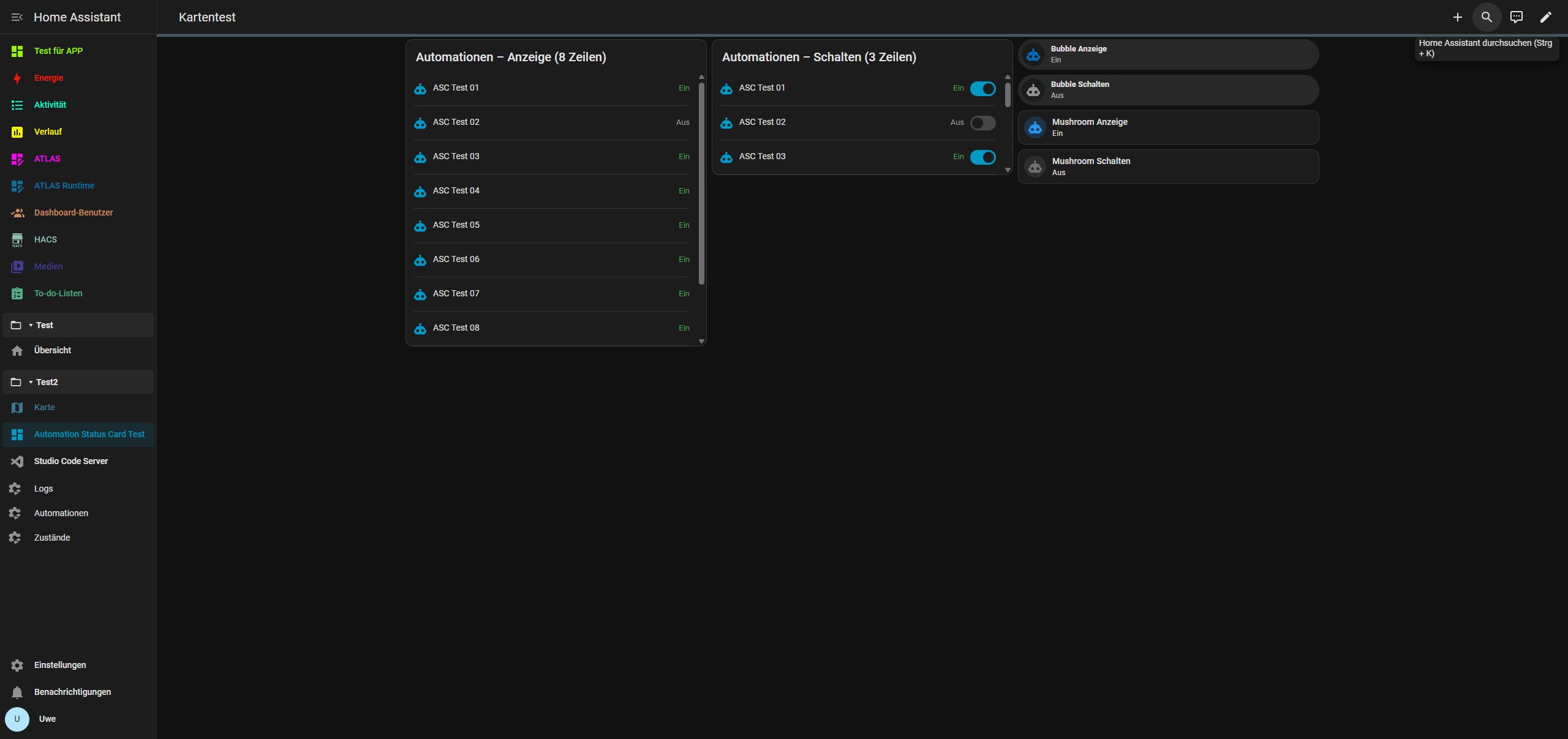
Automatically lists all automation.* entities available to the signed-in HA user, sorted alphabetically. Eight rows are visible by default; further entries scroll vertically. New/deleted automations update automatically. No additional card library is required.
Install and configure
HACS / Marketplace
HACS / Marketplace: add https://github.com/rockbaer2007/automation-status-card as a custom Dashboard (plugin) repository. Resource: /hacsfiles/automation-status-card/automation-status-card.js. HACS-compatible packaging does not mean inclusion in the default catalog; a separate Marketplace installation has not been tested. This is not a Supervisor app. Load either the HACS or manual copy, never both.
Manual installation
Back up HA. Copy the packaged automation-status-card.js to /config/www/automation-status-card/automation-status-card.js. Add /local/automation-status-card/automation-status-card.js in Settings → Dashboards → Resources, type JavaScript module, preserving existing resources. Reload the dashboard and select Automation Status Card in the picker.
type: custom:automation-status-card
title: Automations
visible_rows: 8
allow_toggle: false
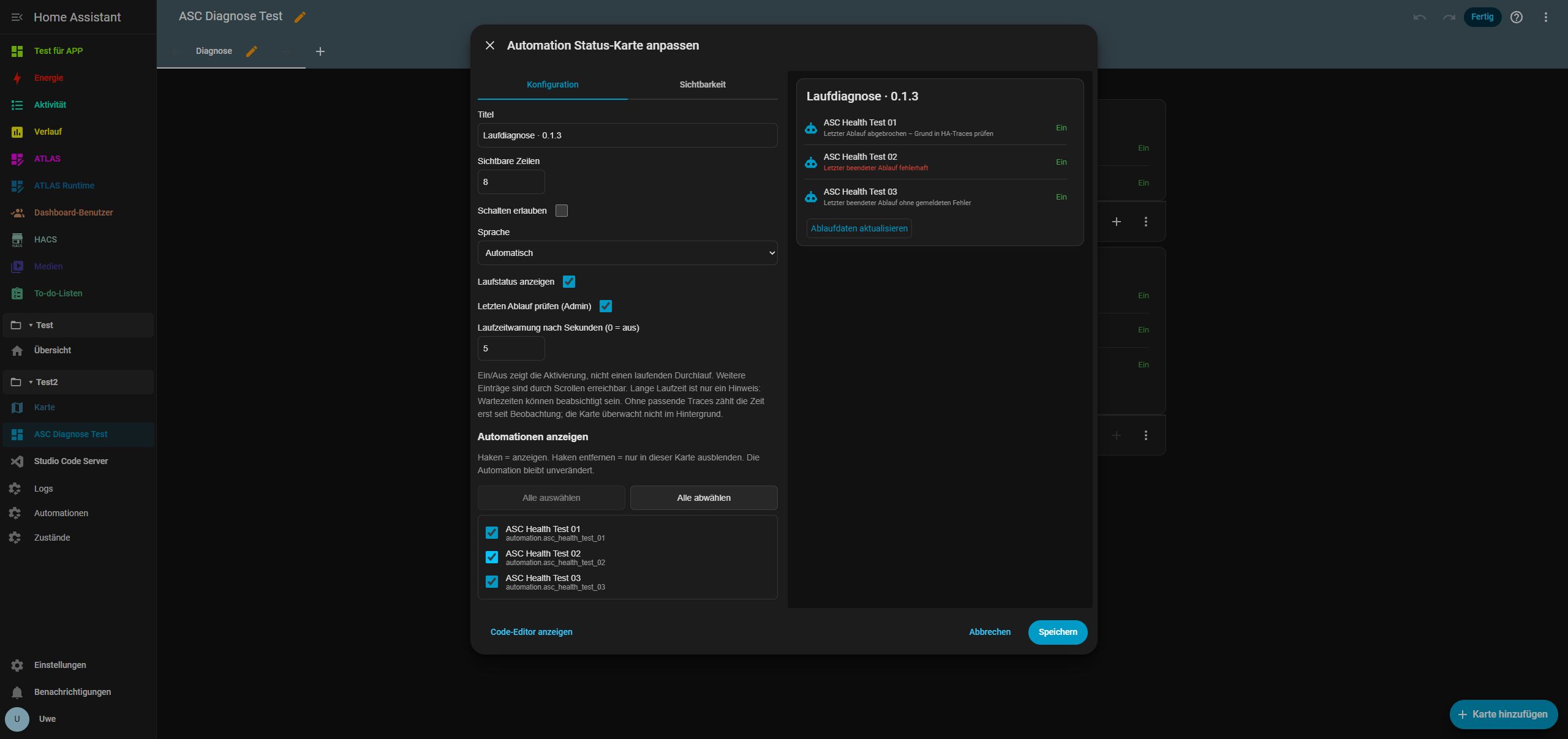
language: autoThe visual editor exposes title, visible rows (integer 1–50), Allow toggling, and language (auto, de, en, fr). An empty title hides the heading. Automatic language follows HA, falling back to English.
Show automations initially checks every entry: checked = show, unchecked = hide only in this card. Select all shows every entry; Deselect all hides all currently listed entries. Newly discovered automations are selected by default. Selection is saved per card without changing automations or other cards. Temporarily unavailable, deselected entities remain listed so they can be selected again. Optional YAML: hidden_entities: [automation.my_automation] lists deselected IDs. Omitting it preserves the previous behavior.
On/Off means enabled/disabled, not currently running. Names open HA’s more-info dialog. With controls enabled, each switch enables/disables exactly that automation; the card never calls a trigger service. Disabling uses stop_actions: false to avoid explicitly stopping an existing run. HA permissions still apply; display-only mode is not access control.
Unavailable/unknown entities and disconnected clients cannot be switched. A pending switch is blocked until the state is confirmed. Errors or missing confirmation are reported without automatic retries or optimistic success.
Running status and diagnostics
HA reports some interruptions only as aborted, including a false condition or an explicit error stop. These are labelled neutrally Last run aborted – check the reason in HA traces, without claiming success or failure. Trace-based durations are always capped at time observed by this card, preventing HA/browser clock differences from causing premature warnings.
show_health: true (default) adds running count and duration from HA’s current attribute, independently of On/Off. runtime_warning_seconds: 300 warns after five minutes; 0 disables the warning, maximum 604800 seconds (7 days). All settings are available in the visual editor. Long runtime does not prove a crash: delays and waits may be intentional. Nothing is automatically stopped or restarted.
With a complete matching trace list, duration uses the oldest active run. Otherwise it starts conservatively when this card observes activity and is labelled accordingly. last_triggered alone is not used as runtime; a trigger newer than the last trace request also causes observation-time fallback. Navigation, reload or disconnect clears local observation. This is not a background watchdog.
check_traces: true (default) reads automation trace/list summaries at most every 30 seconds for administrators, plus a manual refresh button. It never requests full traces, variables or configurations. The newest completed run is marked failed only if HA reports an error; a normal stop or false condition is not automatically a failure. A newer completed run without reported error replaces an older error indication. The timestamp is available in the tooltip; names still open HA details.
Missing admin rights, automation IDs or stored traces, unsupported API and connection errors are reported as unavailable diagnostics, not automation failures. Disconnection suppresses stale run status. Rights are never expanded. An action error ignored with continue_on_error may be absent from the summary. The built-in HA API may change in later versions. Sources: attributes, trace API, summary schema.
Bubble Card and Mushroom: one automation
examples/bubble-single-readonly.yaml and bubble-single-control.yaml, plus mushroom-single-readonly.yaml and mushroom-single-control.yaml, each target one automation. Replace automation.replace_me with its entity ID. Read-only examples disable card actions; control examples use the extension’s ordinary toggle action and its own standard action behavior. They are standalone YAML templates, not automatic lists or additional custom extension code. The main card’s allow_toggle setting does not control those separate cards.
Install the appropriate extension separately. Case-sensitive resource paths:
- Bubble Card:
/hacsfiles/Bubble-Card/bubble-card.js - Mushroom:
/hacsfiles/lovelace-mushroom/mushroom.js
Existing cards are not changed and third-party code is not bundled. Bubble Card · Mushroom.
Scope
Release includes the built JS asset and a complete ZIP with instructions/examples. For manual updates, retain the existing resource path, update its ?v=0.1.3 query and fully reload the browser. Node 22+: npm ci, npm run check, npm run build, npm test. Verification.
MIT license. No external runtime services, credentials or telemetry. HA stores the dashboard configuration; the card does not edit automation definitions.