
INI Edit Translate 2026
Version 2.1.35.0 · Windows 11 · .NET Framework 4.8
Edit EEP model descriptions and installation files. Developed by Uwe Grimm / UGSo Software and published under the MIT licence.
Source code and README on GitHub
Download
Download Windows ZIP v2.1.35 · GitHub release and SHA-256
Extract the complete ZIP and run INI Edit Translate 2026.exe. Requires Windows 11 and .NET Framework 4.8. Keep DLLs and language folders together. Visual Studio is only needed to build from source. No installer is required.
Features
| Area | Capabilities |
|---|---|
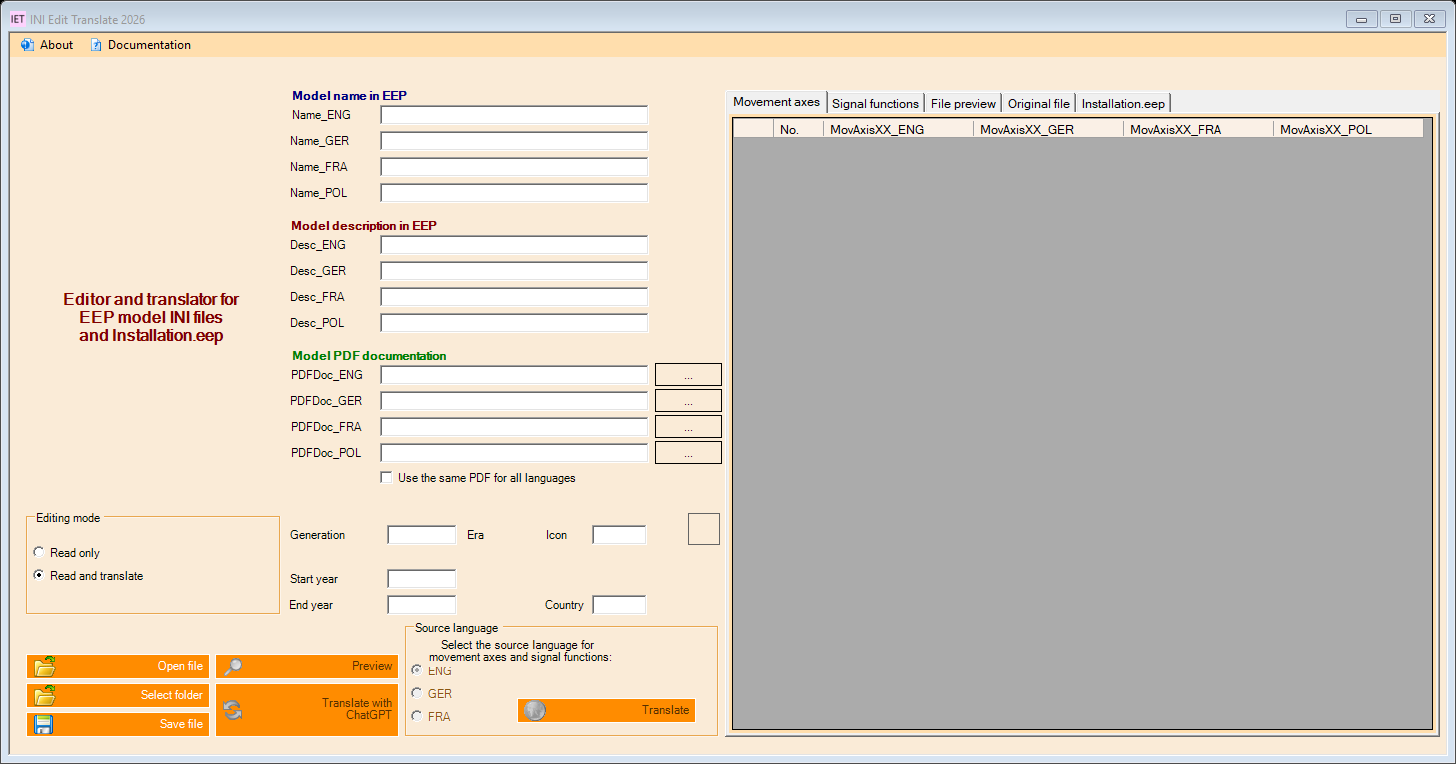
| Model texts | Edit names and descriptions in EN/DE/FR/PL |
| Metadata | Edit PDF references, generation, deployment years, country and icon |
| Movement axes and signal functions | Display, edit and translate language-specific entries |
| Installation.eep | Edit names and descriptions of supported installation sections |
| Preview | Compare the original file with the generated output preview |
| Table export | Export complete tables as tab-separated UTF-8 files with a BOM |
| Backups | Copy existing INI files before overwriting them, retaining their original filename |
ChatGPT translation
The application uses only the OpenAI Responses API. Each source text is translated into the three other target languages in one request, without an English intermediate translation. Repeated texts share a temporary cache within the same operation.
The progress dialog provides Cancel. The request timeout is 60 seconds; each text is limited to 24,000 characters. Incomplete responses, missing languages and changed placeholders such as {0}, %s or [e] are rejected. Existing texts and tables are preserved on failure.
DE/EN/FR interface texts have been reviewed for broken characters, wrong-language entries and mixed messages. Technical INI keys such as Name_GER are retained.
Setup and workflow
- Download the Windows ZIP above and extract all files.
- Start
INI Edit Translate 2026.exefrom the extracted directory, keeping its DLLs and language directories together. - Open About → Settings → OpenAI translation. Enter your own API key and model; the default is
gpt-4.1-mini. - Open a backed-up file in Read only mode first.
- Use Read and translate or a translation button. Select the source language for axes and signal functions.
- Review the preview and model texts, then save explicitly.
Data and privacy
Old registrations and personal databases are not imported. Settings are stored separately for each Windows user. OpenAI configuration and file backups are under %LOCALAPPDATA%/UGSo/IET2026/.
Windows DPAPI encrypts the API key for the current Windows account. Selected texts are sent to OpenAI with store: false. Internet access and separate API billing are required; a ChatGPT subscription does not replace API billing.
Updates and verification
Updates are currently fully disabled: no connection to the old update server and no update menu. Google, LEO, Linguee and DeepL are no longer offered.
30 local checks with mocked API responses and Debug/Release builds cover failures, cancellation, restoration, export and rendered DE/EN/FR interfaces. Tests do not send texts to OpenAI. A live API request and generated translation quality still need verification with your own account. Not every possible INI schema is supported; review the resulting model data before use.