
Solar
Solar 0.1.3 requires Studio 0.1.280 or later. This separate widget set contains four manufacturer-independent modules with transparent SVG graphics. Update Studio first, then import ugso.solar.wg through the package settings.
| Widget | Default size | Housing snap points | Line ports |
|---|---|---|---|
| Stack inverter head | 256 × 64 px | Bottom center | Left/right plus two PV inputs on each enclosure side |
| Battery module | 256 × 169 px | Top and bottom center | Left, right |
| Standalone inverter | 144 × 103.3 px | None | Left/right/top center plus seven bottom ports including corners |
| Solar panel with base | 320 × 288 px | None | One output: pole or left/right widget edge |
The head graphic is centered and touches the bottom widget edge. The battery graphic touches both top and bottom edges. Battery and standalone inverter preserve their proportions when resized. The visible standalone enclosure is about one-third narrower than the head.
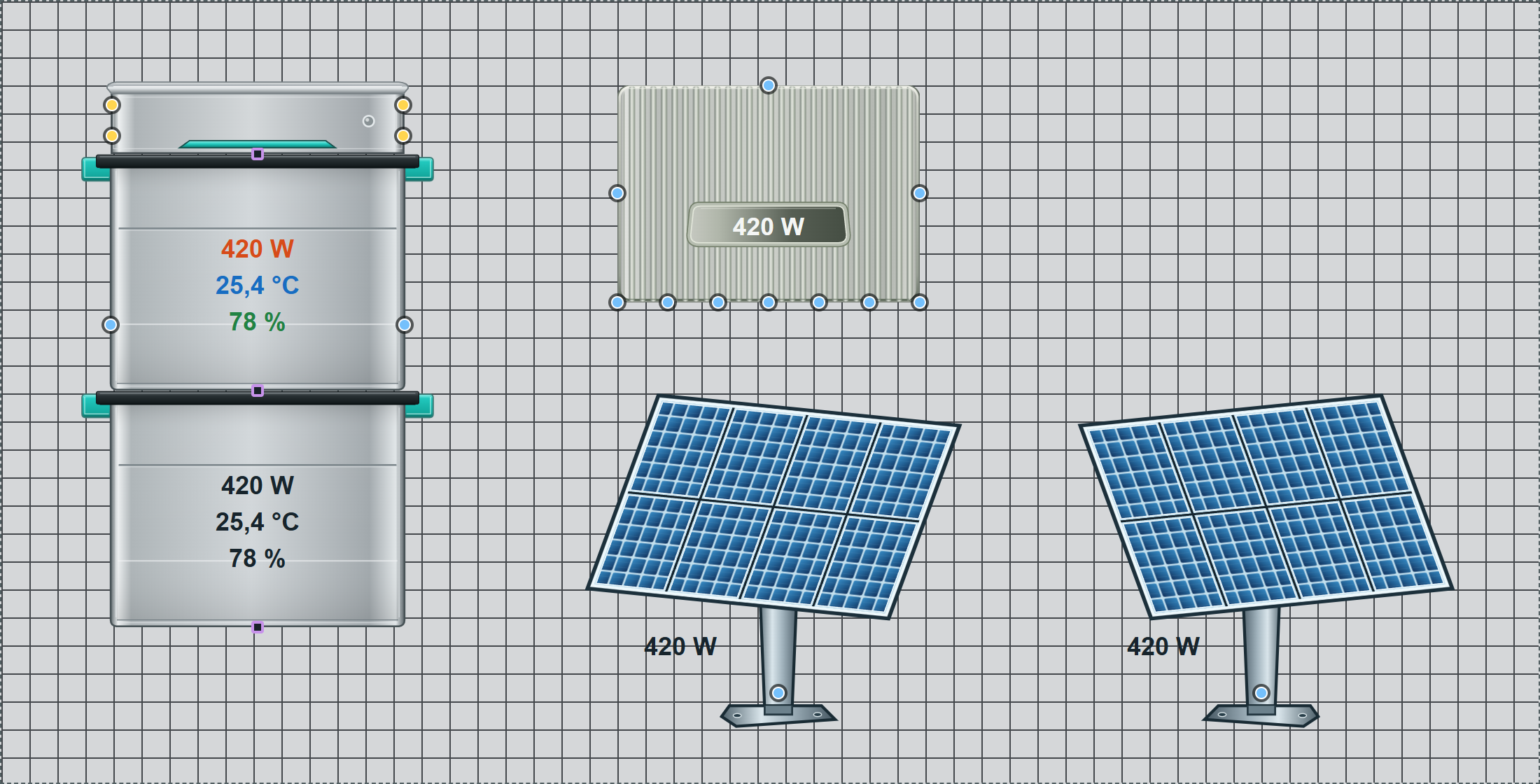
Example with preview readings and visible connection points. Yellow circles are inputs, blue circles are outputs and purple squares are housing snap points. Points disappear in runtime.
Solar panel with pole and base
Use Solar module → Orientation to choose Original or Mirrored. Only the SVG graphic flips horizontally; text remains readable. Resizing preserves proportions.
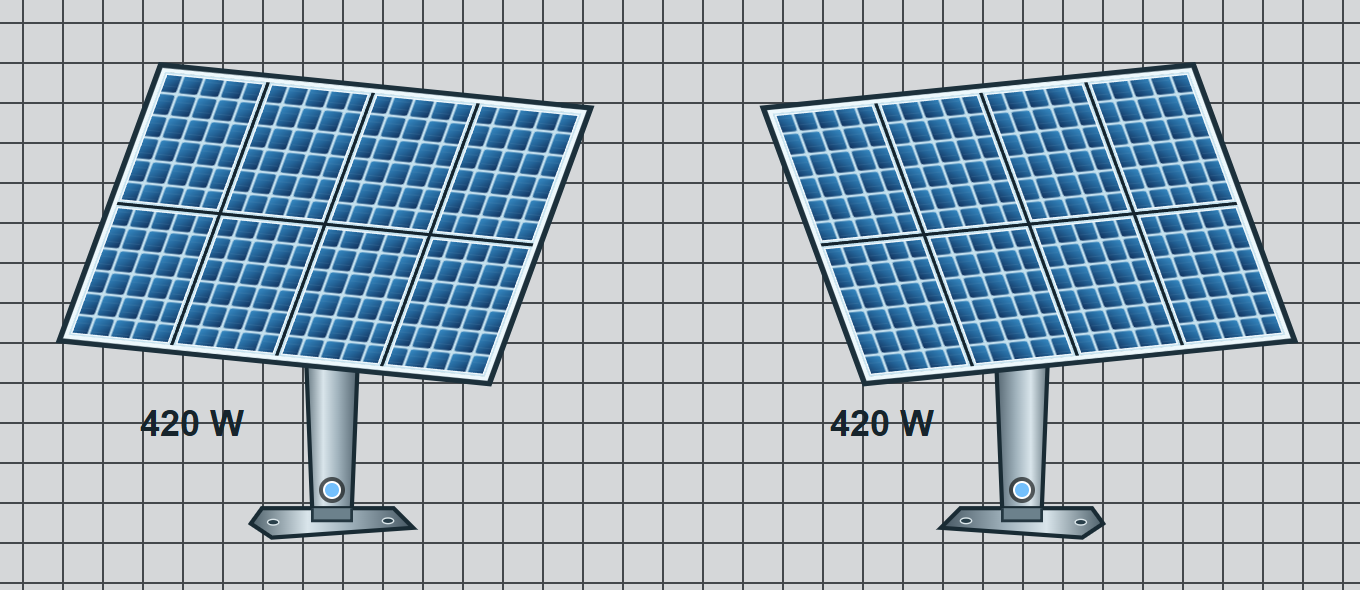
Select a Home Assistant entity under Power → Input entity (power). Values in kW are converted to W. Show reading hides only the unframed text; the output keeps forwarding data. Without an entity, the preview value applies; unavailable entity values appear as a dash.
Under Line port → Output point position, choose At the pole above the base, Left widget edge or Right widget edge. Edge positions use the same height as the pole point. There is always just one output; existing SVG lines follow position changes automatically. Enable output point turns it off or on. In runtime, the point disappears while the SVG line remains visible. The panel has no housing snap points.
Assemble a stack
Add one head and 1–6 instances of the same battery widget, depending on the installation. Each battery has its own settings and entities. Center housing snap points are enabled by default with a 0 px gap. Drag a battery's top point near the bottom point of the head or another battery; the modules snap flush and centered.
Use Housing snap points to configure snapping, individual points, spacing and persistent editor markers. Housing points affect placement only and carry no values. They disappear in runtime.
Plain-text readings on the enclosure
Power, Temperature and State of charge (SoC) each provide a Home Assistant entity picker and preview value. Units are W, °C and %. Power from a kW entity is converted to W. Preview values apply only when no entity is assigned. Missing or unknown states appear as —.
Show reading hides only that text display. The entity continues updating and outputs still provide its value. Battery readings start immediately below the first-third seam and stack vertically without blank rows for hidden readings. There are no frames or display boxes. The order is power, temperature, SoC. Text color and maximum font size are configurable; text shrinks when space is limited.
By default, the battery shows all three readings and the standalone inverter shows power only. The head has no readings or settings groups for power, temperature, SoC or power direction. The standalone inverter retains these settings.
For batteries, Power, Temperature and State of charge (SoC) each provide a separate Reading text color. Until a separate color is set, the general text color applies. Colors persist when readings are hidden and shown again.
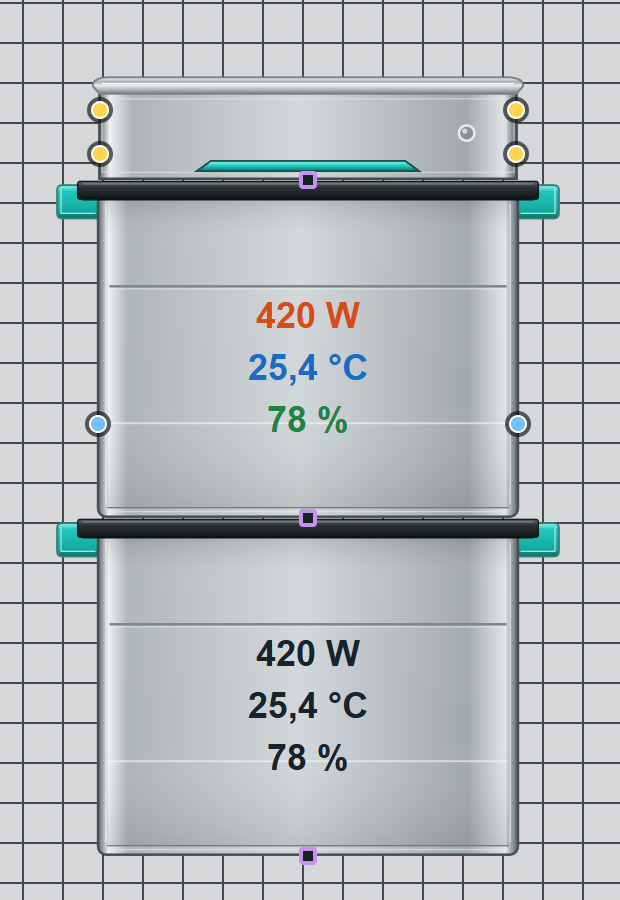
Under Power direction, enable an optional direction symbol. Select whether positive power means Energy in or Energy out, and enter both symbols as text. No symbol appears for zero or an unknown value. The displayed number retains its sign.
SVG line inputs and outputs
The standalone inverter provides seven evenly spaced bottom line ports: both corners, the existing center and two additional points on either side of the center. Together with the left/right/top center ports, ten ports are available. Under Line ports, choose Off, Input or Output and a value for each point. The six new bottom ports start disabled; existing ports and connections remain unchanged.
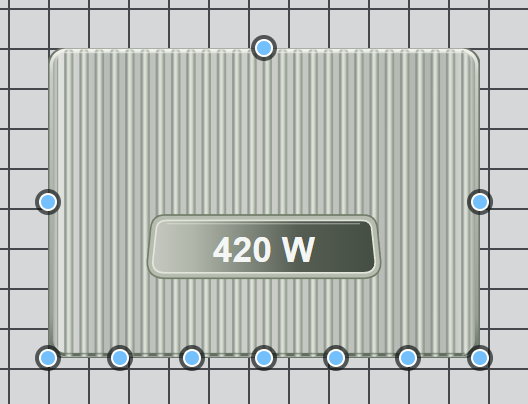
All ten points are enabled as outputs in this example; each point's role is configurable in your project.
Battery left and right ports each offer a Position: Widget edge center or Enclosure edge at lower seam. Set each side independently. Existing connections follow automatically; roles and value assignments remain unchanged. This does not affect the top/bottom center housing snap points used for stacking.
The head has four visible PV input sockets: upper/lower left and upper/lower right. All four start enabled and can be disabled separately under Line ports. They follow the bottom-aligned graphic even if widget height changes. Connect a solar panel's SVG line to one of these sockets. They are separate line destinations without automatic value summation. The former top line port is removed; existing left/right ports remain available.
Under Line ports, each available side has two settings:
- Role: Off, Input or Output. Line ports are off by default.
- Value: Power, Temperature or State of charge (SoC).
An output forwards the chosen value and unit to Number or an SVG line. An input receives that value from exactly one connected source, replacing the entity for that channel. Use at most one input per value. Another output can forward the received value; feedback loops are detected. Home Assistant entities are never written.
Line ports are independent of housing snap points. Active outputs use the Studio output-point color. Ports disappear in runtime; ordinary SVG lines remain visible, while Value connections stay hidden.
All standard CSS groups are available; optional groups start disabled. Custom padding or borders can affect flush alignment.
The SVGs are original UGSo artwork without manufacturer logos. Source, build instructions and MIT license.