
TypeScript
First example
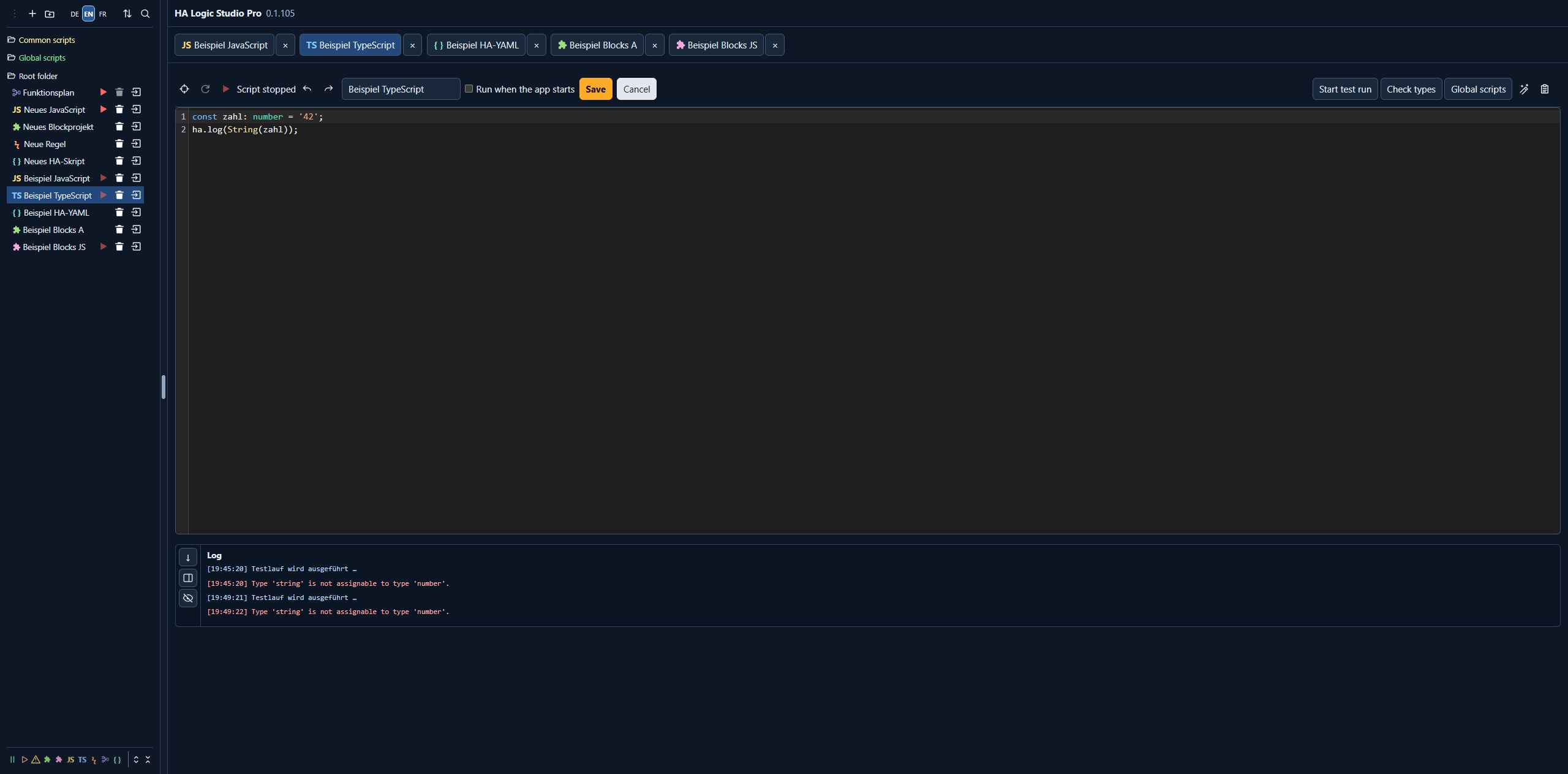
The screenshot contains a deliberate type error. A variable declared as number is assigned the text '42'.
- Choose New project → TypeScript and enter the code shown. The second line,
ha.log(String(zahl));, logs the value as text. - Start a test run. The log explains that text cannot be assigned to a number. Use the line link to jump to line 1.
- Remove the quotes around
42and run the test again. The log should show42.
Features
Types
A type describes valid values. number requires a number and string requires text.
Type checking
Checks declarations, assignments and calls. Fix the highlighted line and check again.
Completion and signatures
Use API suggestions and read which arguments a function expects.
Test run and errors
Test with simulated states. Execution errors point back to the original TypeScript line.
Global functions and autostart
Select exported functions from global scripts and configure autostart per project.
Play and log
Save before starting Play. Use the log to check output and errors.
If something goes wrong
Convert state text to a number before using it in calculations.