
JavaScript
First example
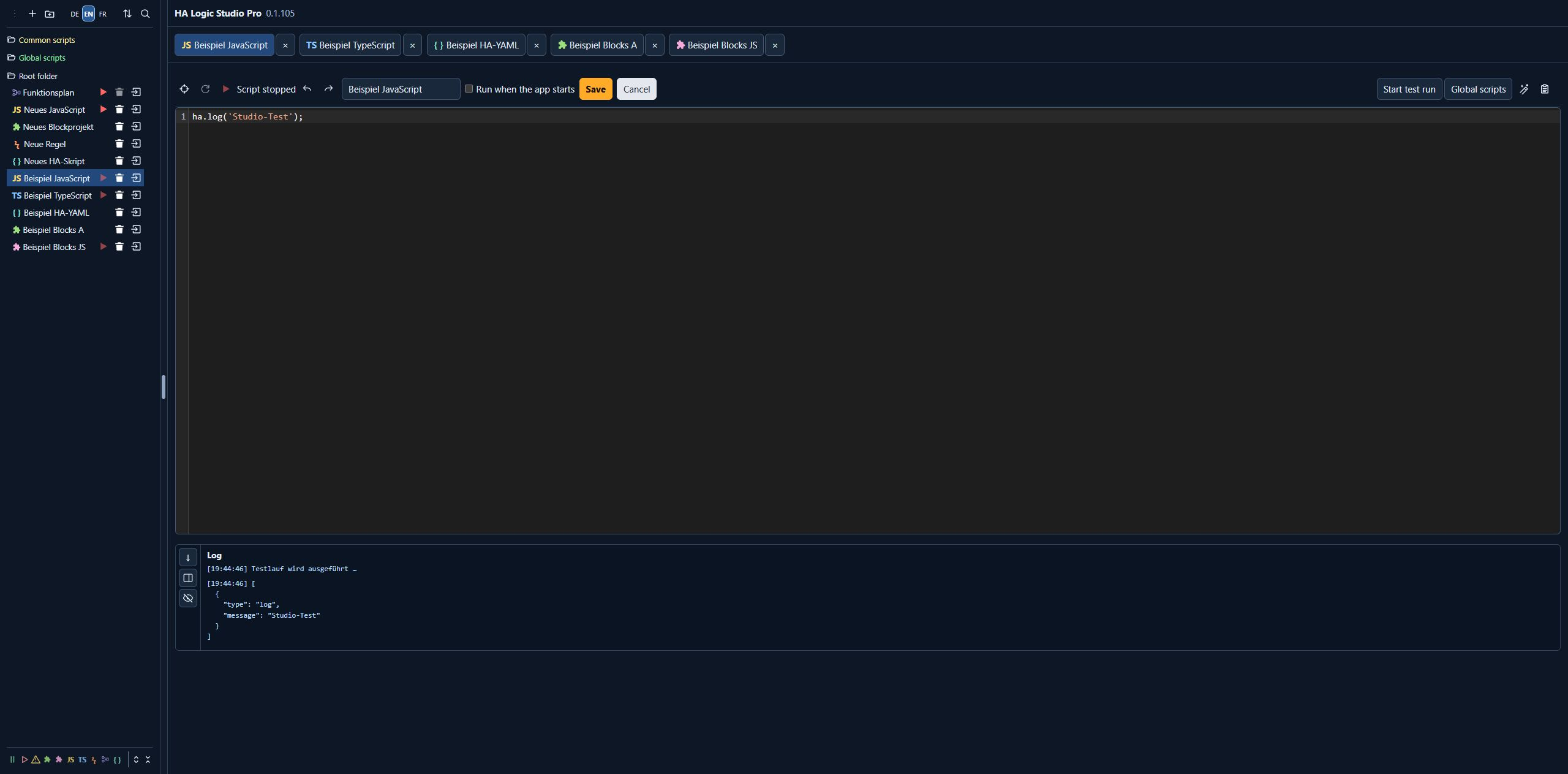
This example writes a message to the log with one line of code.
- Choose New project → JavaScript and replace the sample code with
ha.log('Studio-Test');. - Click the test run button at the top right. You can try the code before saving it.
- Look for
Studio-Testin themessagefield in the Log. Click Save to keep the draft.
Features
Completion and signatures
Start typing an API name to see suggestions and expected arguments.
Test values and test run
Use simulated states and check the output and errors.
Error lines
Go to the reported line in the original source and inspect the expression.
Global functions
Export functions from a global script and select that script in the project that uses them.
Play and autostart
Save and start with Play. Enable autostart per project if it should start after an app restart.
Runtime log
Read log entries after an app restart. Retention is limited by age and size.
If something goes wrong
If HA rejects an action, check the app's approved entities and actions.