Entitäten, Badges, Elemente und Entity-Marker stylen
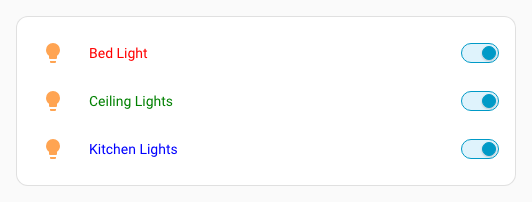
In entities-, glance- und map-Karten kann jede Entität eigene Optionen haben. Diese Elemente können individuell gestylt werden, indem der jeweiligen Entity-Konfiguration ein uix-Parameter hinzugefügt wird.
In diesen Fällen werden Styles in einen Shadow Root injiziert. Das unterste Element wird daher über :host angesprochen.
Das gilt auch für View-Badges und Elemente in picture-elements-Karten.
type: entities
entities:
  - entity: light.bed_light
    uix:
      style: |
        :host {
          color: red;
        }
  - entity: light.ceiling_lights
    uix:
      style: |
        :host {
          color: green;
        }
  - entity: light.kitchen_lights
    uix:
      style: |
        :host {
          color: blue;
        }
Conditional Rows in Entities-Karten stylen
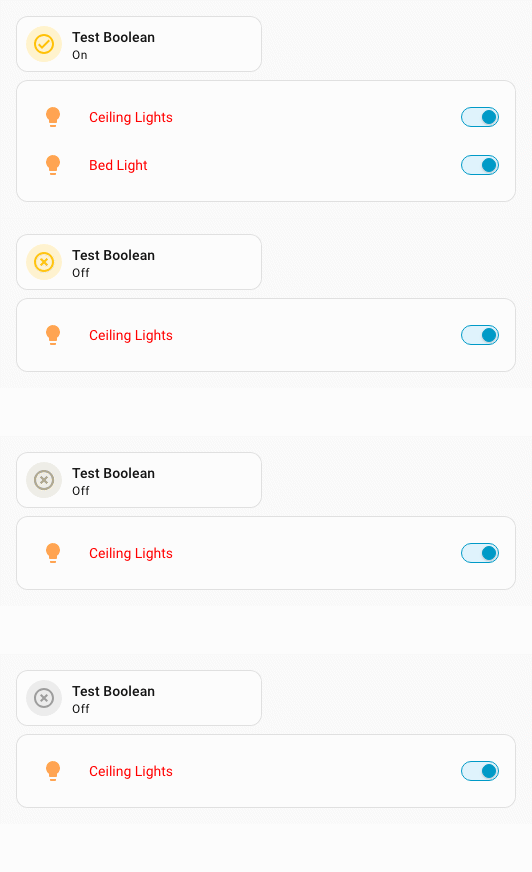
Rows innerhalb von Entities-Conditional-Rows können direkt gestylt werden. Wenn du stattdessen die Conditional-Konfiguration selbst stylst, musst du vorsichtig sein: Der Conditional-Row-Wrapper liegt nicht in einem Shadow Root. Dadurch können Styles auf andere Rows oder Elemente durchsickern.
Conditional-Row-Beispiele
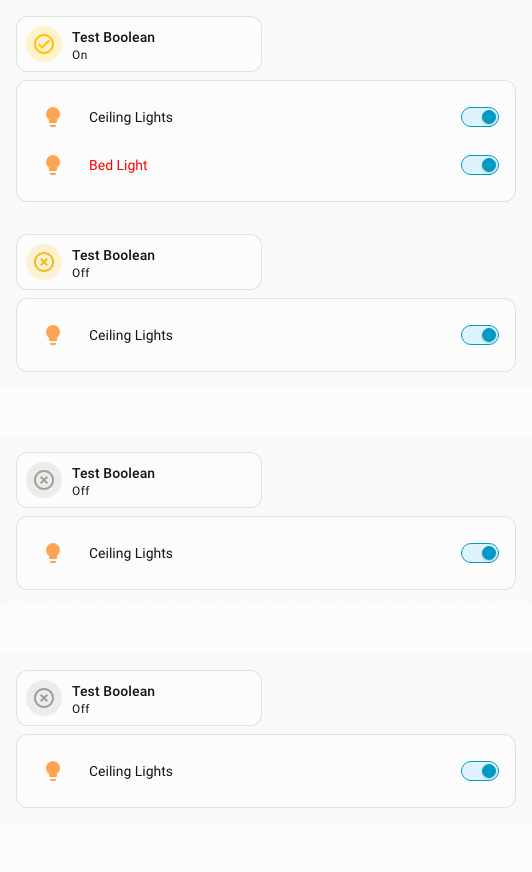
Direktes Styling einer Conditional Row. Nur die Entity Row wird gestylt.
type: entities
entities:
  - entity: light.ceiling_lights
  - type: conditional
    conditions:
      - condition: state
        entity: input_boolean.test_boolean
        state: 'on'
    row:
      entity: light.bed_light
      uix:
        style: |
          :host {
            color: red;
}Styling einer Conditional-Row-Konfiguration über Shadow Root. Diese Methode ist für ältere Konfigurationen verfügbar.
type: entities
entities:
  - entity: light.ceiling_lights
  - type: conditional
    conditions:
      - condition: state
        entity: input_boolean.test_boolean
        state: "on"
    row:
      entity: light.bed_light
    uix:
      style:
        hui-toggle-entity-row $ hui-generic-entity-row $: |
          .row {
            color: red;
}Beide Varianten erzeugen dasselbe Ergebnis.
Styling einer Conditional-Konfiguration, bei der Styles auf alle Rows durchsickern können:
type: entities
entities:
  - entity: light.ceiling_lights
  - type: conditional
    conditions:
      - condition: state
        entity: input_boolean.test_boolean
        state: "on"
    row:
      entity: light.bed_light
    uix:
      style: |
        :host {
          --primary-text-color: red;
        }
Conditional Elements in Picture-Elements-Karten stylen
Elemente in einem Conditional Element einer picture-elements-Karte können direkt gestylt werden. Wenn du die Conditional-Konfiguration selbst stylst, ist Vorsicht nötig, weil der Conditional-Wrapper nicht in einem Shadow Root liegt und Styles auf andere Elemente durchsickern können.
Conditional-Picture-Elements-Beispiel
Direktes Styling eines Conditional Elements. Nur dieses Element wird gestylt.
type: picture-elements
image:
  media_content_id: https://picsum.photos/id/870/200/100?grayscale&blur=2
elements:
  - type: state-badge
    entity: light.ceiling_lights
    style:
      left: 25%
      top: 50%
  - type: conditional
    conditions:
      - entity: input_boolean.test_boolean
        state: "on"
    elements:
      - type: state-badge
        entity: light.bed_light
        style:
          left: 75%
          top: 50%
        uix:
          style: |
            :host {
              color: white;
}Styling der Conditional-Konfiguration. Diese Methode ist für ältere Konfigurationen verfügbar.
type: picture-elements
image:
  media_content_id: https://picsum.photos/id/870/200/100?grayscale&blur=2
elements:
  - type: state-badge
    entity: light.ceiling_lights
    style:
      left: 25%
      top: 50%
  - type: conditional
    conditions:
      - entity: input_boolean.test_boolean
        state: "on"
    elements:
      - type: state-badge
        entity: light.bed_light
        style:
          left: 75%
          top: 50%
    uix:
      style:
        hui-state-badge-element $ ha-state-label-badge $: |
          :host {
            color: white;
}Beide Varianten erzeugen dasselbe Ergebnis.
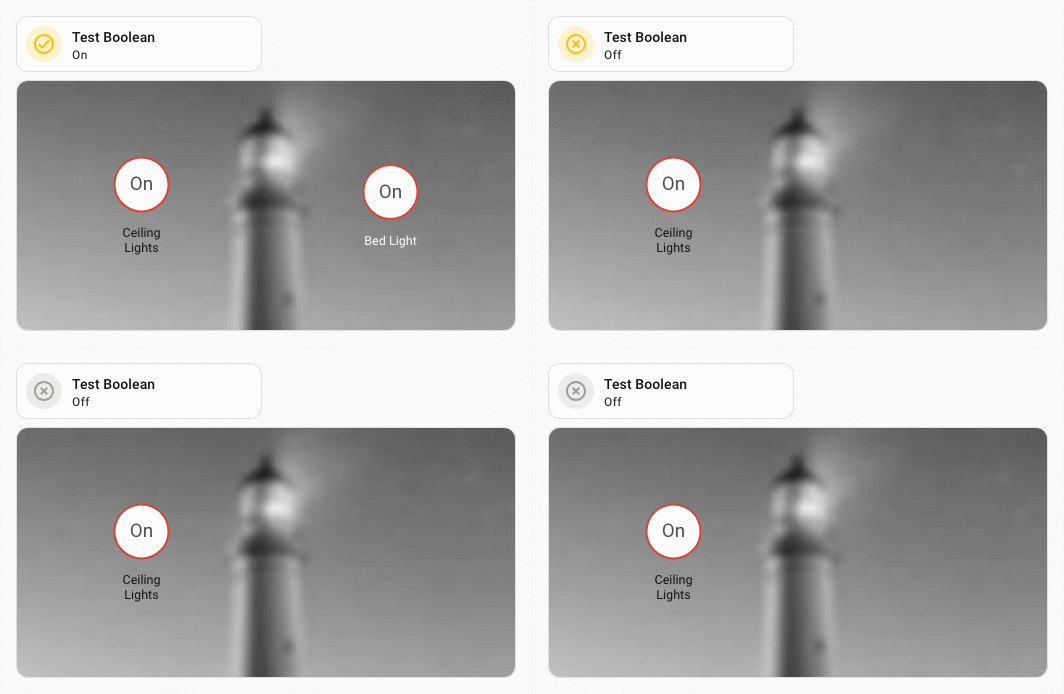
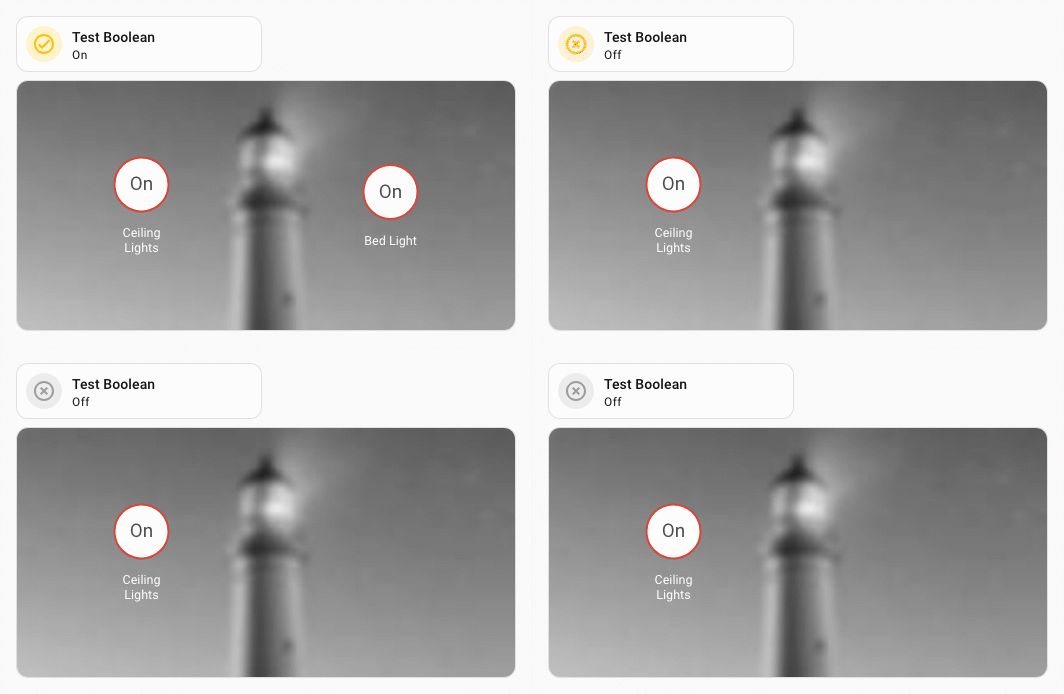
Styling der Conditional-Konfiguration, bei der Styles auf alle Elemente durchsickern können:
type: picture-elements
image:
  media_content_id: https://picsum.photos/id/870/200/100?grayscale&blur=2
elements:
  - type: state-badge
    entity: light.ceiling_lights
    style:
      left: 25%
      top: 50%
  - type: conditional
    conditions:
      - entity: input_boolean.test_boolean
        state: "on"
    elements:
      - type: state-badge
        entity: light.bed_light
        style:
          left: 75%
          top: 50%
    uix:
      style: |
        :host {
          --primary-text-color: white;
        }
Entity-Marker auf einer Map stylen
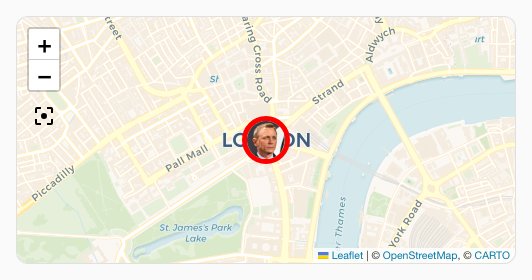
Seit Home Assistant 2026.10.0 können Marker und deren Bilder über CSS-Parts von ha-map gestaltet werden. marker und picture gelten für alle Marker bzw. Bilder. Entitätsspezifische Parts heißen marker-<css-safe-entity_id>; ersetze dafür den Punkt in der Entity-ID durch einen Bindestrich.
Alle Marker einer Map-Karte stylen:
  type: map
  show_all: true
  auto_fit: true
  uix:
    style: |
      ha-map::part(marker) {
        border: red solid 4px !important;
}Nur den Marker der Entität person.dev stylen:
element:
  type: map
  show_all: true
  auto_fit: true
  uix:
    style: |
      ha-map::part(marker-person-dev) {
        border: red solid 4px !important;
}Entity-Marker auf einer Map stylen (bisherige Methode)
Die vor Home Assistant 2026.10.0 verwendete Methode funktioniert weiterhin.
Entity-Marker auf einer Map können individuell über Kartenkonfiguration oder über ein Theme gestylt werden. In beiden Beispielen wird auch das Picture Image gestylt.
Styling über Kartenkonfiguration:
type: map
entities:
  - entity: device_tracker.uix_test_person
    uix:
      style: |
        div.marker {
          border-color: red !important;
          border-width: 5px;
        }
theme_mode: autoStyling über Theme. Hier wird der Host-Selektor & genutzt, weil ha-entity-marker die Entity-ID als Attribut besitzt.
uix-entity-marker-yaml: |
  "&[entity-id='device_tracker.uix_test_person']": |
    :host {
      --uix-image: /local/media/person_grey.png
    }
    div.marker {
      border-color: red !important;
      border-width: 5px;
}Beide Varianten erzeugen dasselbe Ergebnis.