
Weather and Heating
Packages and helper tools are provided centrally at visualstudio.ugso-software.de. This open-source page provides descriptions and instructions; downloads are provided by the package catalog.
Inspired by the ioBroker “Weather and Heating” widgets by rg-engineering. The Studio widgets are an independent implementation for Home Assistant.
From Studio 0.1.194, you can install Weather and Heating 1.7.0. It contains General Chart, Two Weeks Bar Chart, Weather Widget, Heating Rooms Overview, METEORED Weather Widget, Window Status Overview, Inform my landlord and General heating parameters. The functional reference is ioBroker.vis-2-widgets-weather-and-heating; Studio uses original renderers. Other weather/heating widgets and ioBroker-specific adapter bindings are not included yet.
Install
Download ugso.weather-heating.wg. Open Settings → Widget packages → Install local .wg / .wg.zip and select the file. After reloading, a separate set appears with an automatically assigned color. This browser remembers its color across removal and reinstallation. The 74 built-in widgets remain available.
Configure the chart
An installed 1.0.0 through 1.6.0 package can be updated to 1.7.0 through the same import. Existing widgets and saved project values remain intact. Updates may only add widgets; changes to existing definitions and downgrades are rejected.
General heating parameters
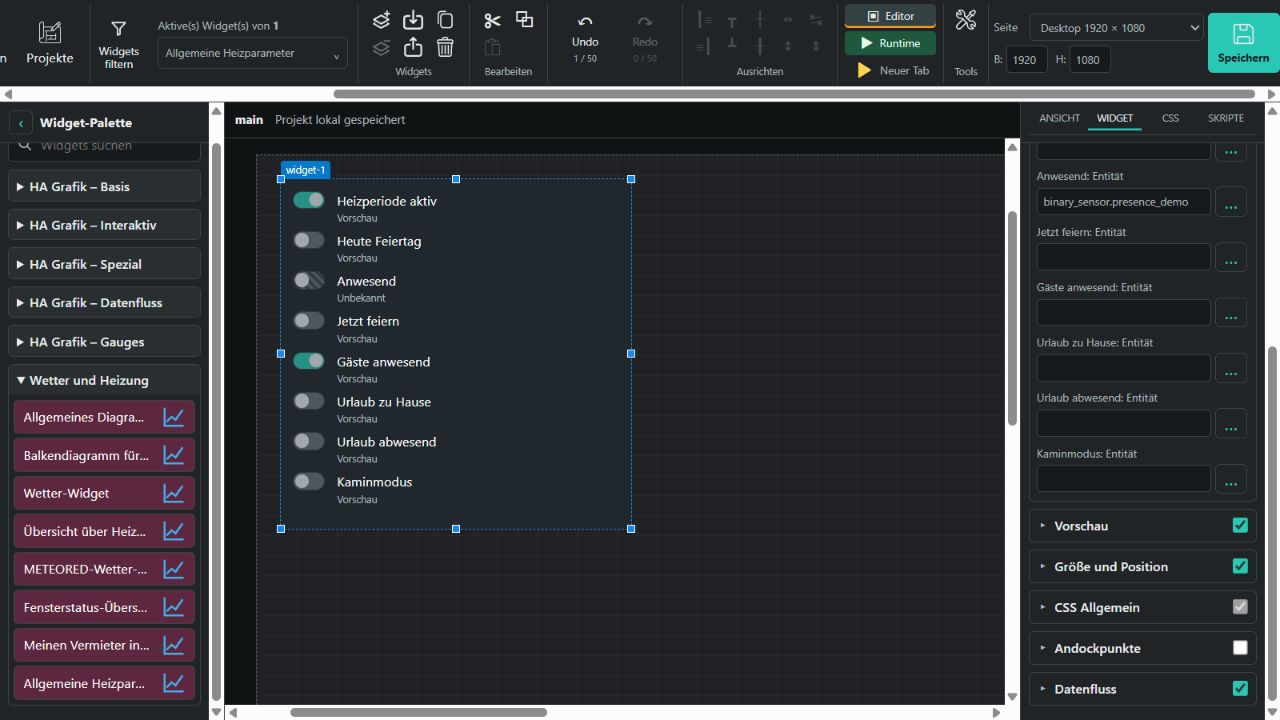
The widget displays eight rows: Heating period active, Public holiday today, Present, Party now, Guests present, Holiday at home, Vacation away and Fireplace mode. Under Heating parameter entities, assign an independent HA entity to each row. The optional chosen-room entity is displayed as text above the switches and is never modified. The original heatingcontrol.0 instance is not required.
Available input_boolean.* and switch.* entities with on/off states are writable in runtime. Each action turns only the clicked entity on or off. Sensors, such as binary_sensor.*, are display-only. A pending command blocks that entity; failures use Studio's existing switch status. General → Read-only blocks all writes. Without card removes the outer card background.
Unbound runtime rows are disabled and marked Unbound. Missing or unavailable bound readings show Unknown with a striped switch. Preview values never replace live readings. The Preview checkboxes apply only in the unbound editor; the editor sends no commands.
All nine entity bindings, preview values, read-only and display options remain in project and widget exports. This widget groups your existing HA entities; it does not calculate heating schedules, holidays or presence and provides no heating controller of its own.
Inform my landlord
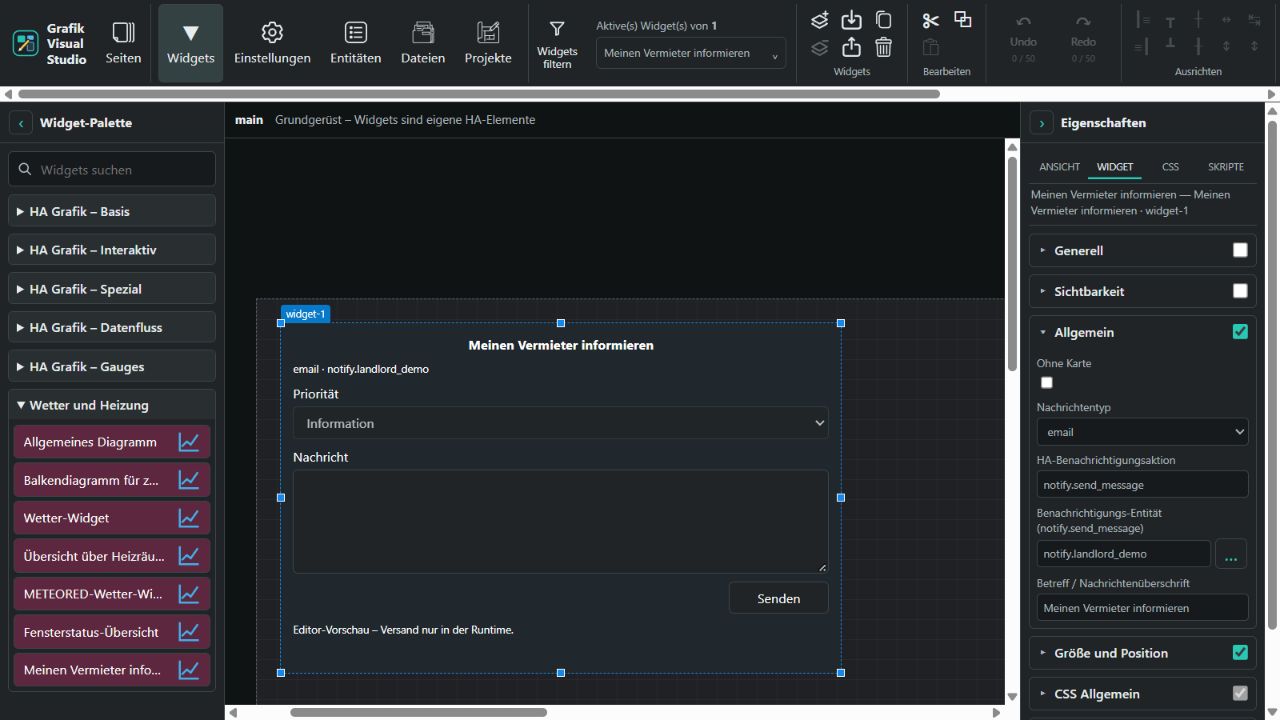
The widget provides Priority (Information, Important, Urgent), Message and Send. The editor is a preview. Runtime submits to Home Assistant only on deliberate sending. Empty messages and repeated clicks during a pending submission are blocked. Failure retains the message for retry; HA acceptance clears it. Acceptance does not confirm delivery.
General provides Without card, Message type, HA notification action, Notification entity and Subject / message heading. Example: action notify.send_message with your specific entity notify.landlord. Alternatively, use a configured named action such as notify.landlord_email, leaving the entity field empty. The unspecified notify.notify action is rejected. Configure recipients, credentials and providers in HA, not in the widget. See HA notifications.
Email, WhatsApp, Signal, Pushbullet and Jira describe the configured channel. Selecting a type does not install a provider or automatically change the HA destination. Your HA action replaces the original ioBroker email.0 instance. The original currently implements email sending only; Studio uses the same HA contract for all configured channels.
The heading and priority are prepended as message text, for example Inform my landlord and [urgent]. Priority is not a provider-specific delivery or alarm level. Limits: 10,000 message characters and 200 heading characters. Drafts survive HA state redraws but remain only in the current form: page changes or reloads discard them. Project/widget exports contain configuration, not entered messages.
Window Status Overview
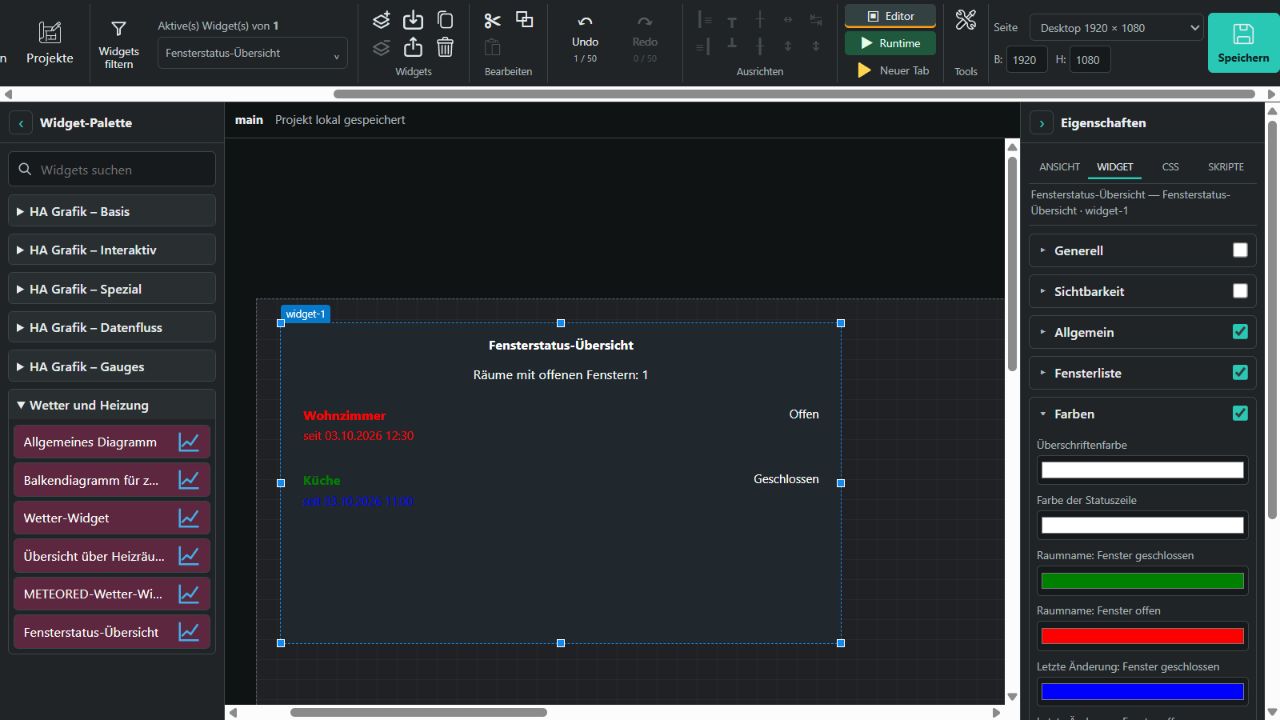
Under Window list, select an HA entity and optional attribute providing a JSON array. The original data point is named WindowStatesHtmlTableVis2, but contains JSON. Without an entity binding, the widget uses its editable preview:
[
  {"room":"Living room","sinceText":"since","changed":"03.10.2026 12:30","isOpen":true},
  {"room":"Kitchen","sinceText":"since","changed":"03.10.2026 11:00","isOpen":false}
]isOpen accepts Boolean values, 1/0 and the strings true/false, on/off, open/closed. If the status is missing, the widget recognizes the legacy icon names fts_window_1w_open.svg and fts_window_1w.svg without loading image files. Otherwise it shows Unknown. Room and change strings are plain text, not HTML. Limits: 200,000 JSON characters, 500 rooms and 512 characters per text field.
Open rooms: entity and an optional attribute provide a separate non-negative integer count of rooms with open windows. Without this binding, the count is derived only from a non-empty list with fully known states. Missing bound data never uses preview data; an unknown count is explicitly displayed.
Colors provides headline, status line, open/closed room name, open/closed last change and room background colors. Open defaults to red, closed to green, and its change time to blue. Assignments follow the field names; the reversed assignments in the original are not copied. A dedicated background color replaces the ioBroker theme value background.paper. General → Without card removes the outer card background. Settings are retained in project and widget exports.
Your HA entity must already provide the JSON list; this widget does not aggregate individual window sensors or write HA states. No heatingcontrol adapter is required.
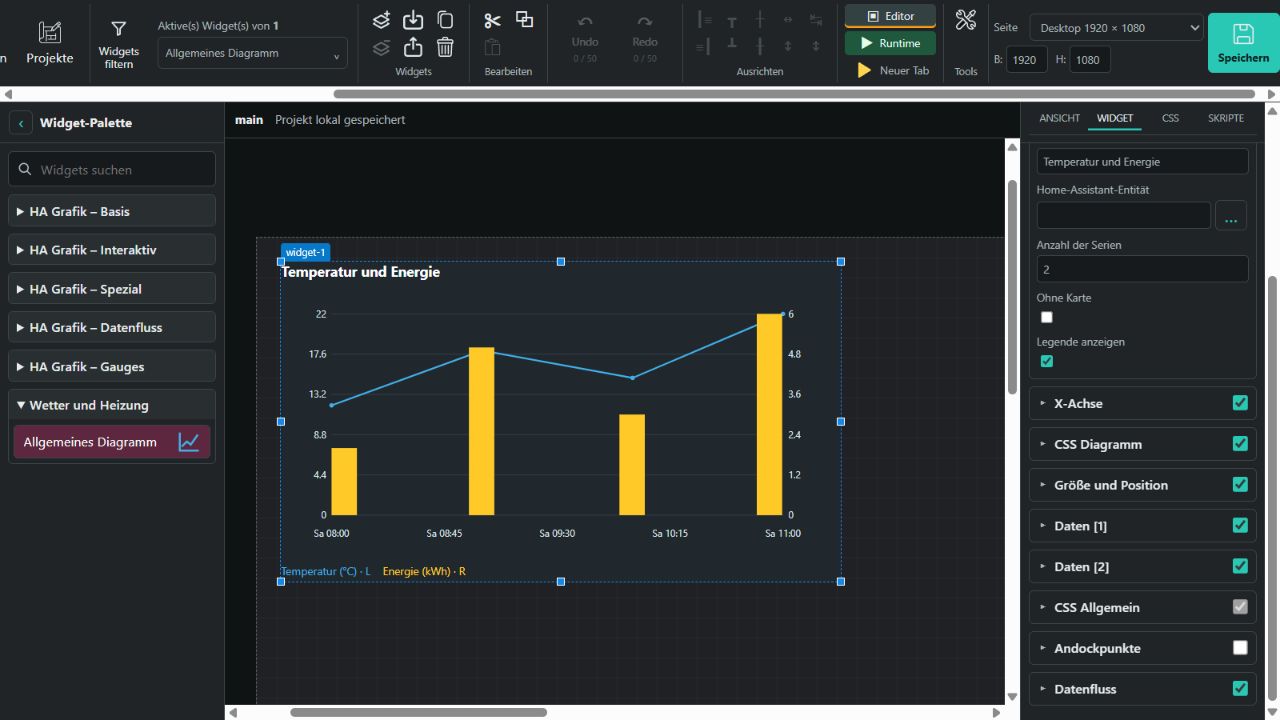
General provides a headline, series count (1–10), legend and display without a card. The first series can use the main entity. Each Data [N] group provides its own entity, optional attribute, preview JSON, X/Y keys, name, unit, color, line/bar type, left/right axis and difference calculation. A bound series reads only its entity state or attribute. Missing live data never falls back to preview JSON. The widget does not write HA states.
Example preview JSON or HA attribute:
[
  {"x":"2026-10-03T08:00:00","value":12},
  {"x":"2026-10-03T09:00:00","value":18},
  {"x":"2026-10-03T10:00:00","value":15}
]Default keys are x and value; custom keys and [x,y] pairs are supported. Time expects ISO dates or Unix milliseconds. Category displays text, such as year labels. Time points are sorted before difference calculation. Missing readings break lines and difference sequences; the first difference has no predecessor. Left/right axes scale independently.
X axis defaults to ddd HH:mm. Supported tokens: YYYY, MM, DD, ddd, HH, mm, ss. Colors are under WIDGET → Chart CSS. Input arrays may contain up to 20,000 rows; large series are reduced to at most 500 points each. The widget does not fetch HA history: its entity must already provide the data array.
Two Weeks Bar Chart
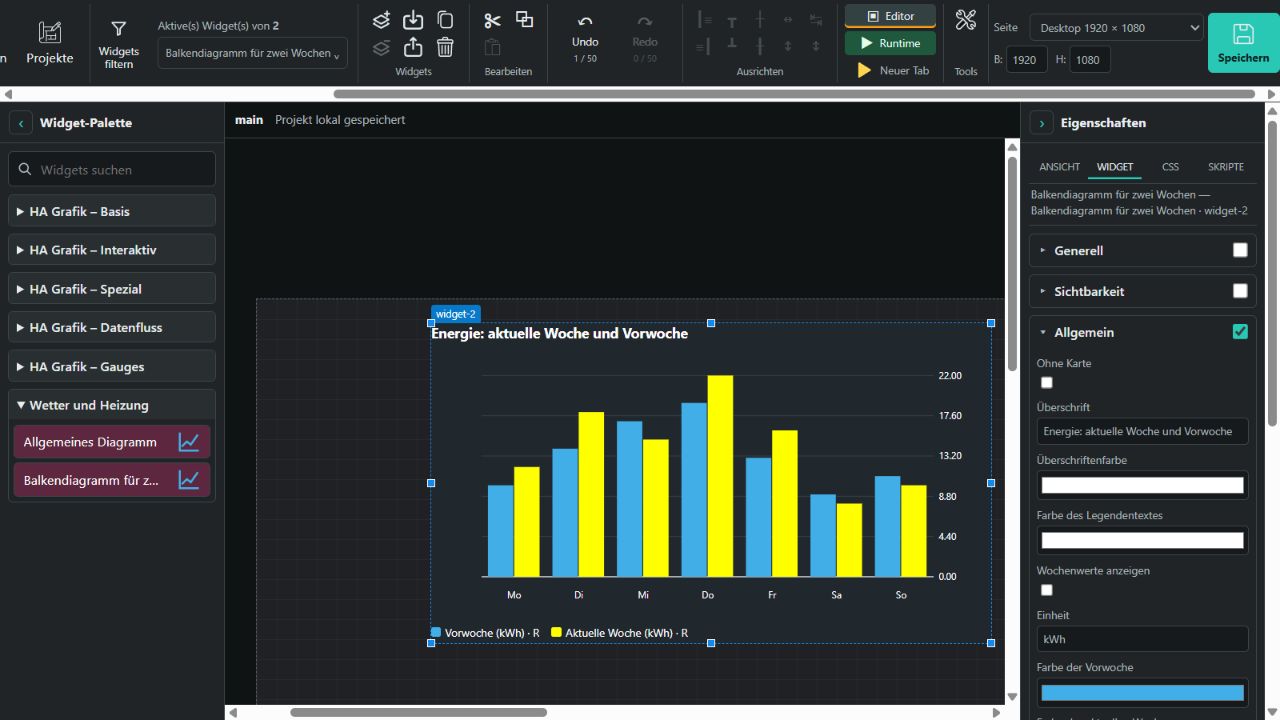
Current week and Previous week each provide seven HA entity bindings, Monday through Sunday, plus editable preview values. Daily pairs appear side by side. The widget does not calculate weekly history or shift values at the start of a new week: its sensors must already provide the corresponding daily readings.
Show weekly values matches the original “Visible” option: disabled displays only preview values; enabled reads only the fourteen daily entities. Unbound, unavailable or non-numeric live readings have no bars. Zero is valid. Overall widget visibility remains controlled under Visibility.
General provides a headline and color, legend text color, unit, week colors, axis label color, left/right Y axis, 0–5 decimal places, legend and Without card. X axis has a separate color. Units and formatted values appear in the legend and bar tooltips; weekdays follow the app language. Configured colors are used as entered.
Weather Widget
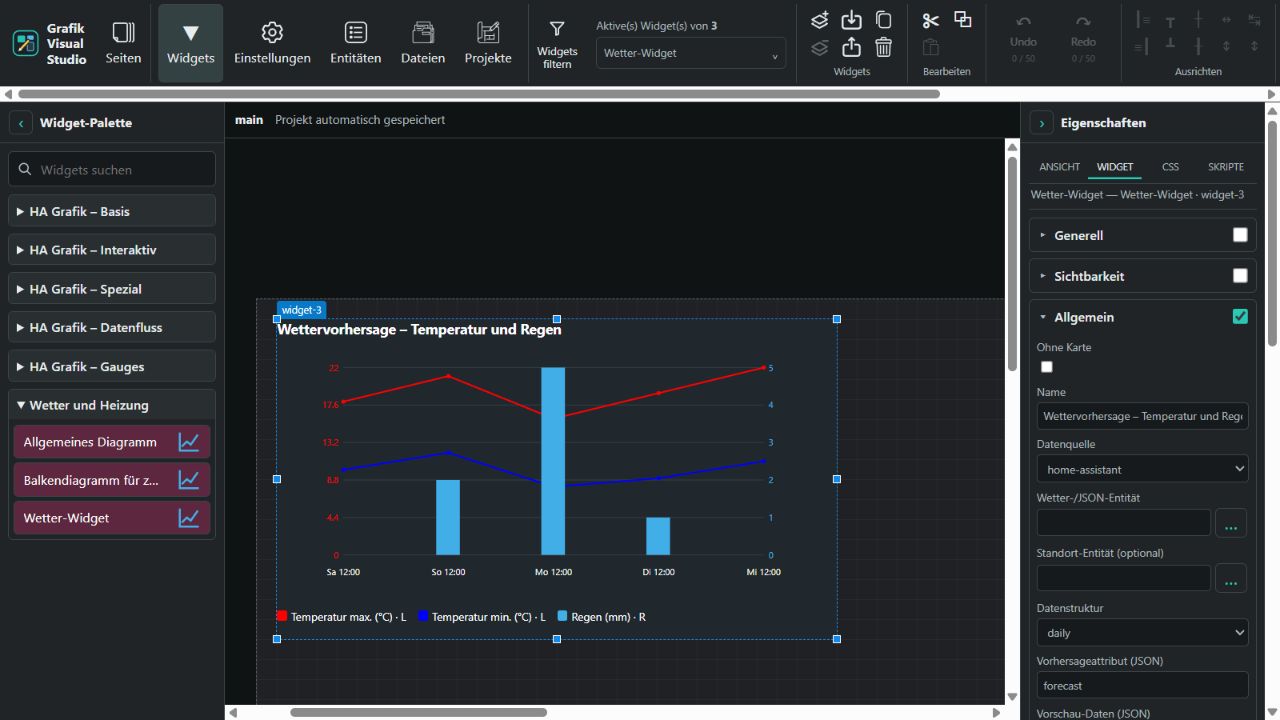
Data source offers home-assistant, json and individual. Data structure selects five daily values (daily) or up to 24 hourly values (hourly). These sources replace ioBroker instance/OID selection with HA bindings.
With home-assistant, choose a weather.* entity. Studio's server reads forecasts through weather.get_forecasts. Successful responses are cached for five minutes; failures retry no sooner than one minute later. The weather integration must support the selected forecast type. Temperature and precipitation units come from its attributes. A real HA request requires the running add-on/Supervisor connection.
With json, the widget reads the selected Forecast attribute (JSON); an empty attribute reads the entity state. Supply an array, for example:
[{"datetime":"2026-10-03T12:00:00Z","temperature":18,"templow":10,"precipitation":0,"cloud_coverage":25,"precipitation_probability":40}]With individual, bind Daily dates [1–5] or Timestamps [1–24], plus their corresponding temperature, rain, cloud and probability values, to individual sensors. Dates may be ISO strings or Unix milliseconds. Daily views use only the first five bindings in each value group. Invalid timestamps are omitted, missing values break lines, and zero is valid. Without a bound weather/JSON entity, the first two sources show editable preview data. Missing live data never falls back to preview values.
Temperature, Rain, Clouds and Rain probability can be enabled individually. Each group has colors and a left/right value axis; rain uses bars. Show in separate chart creates its own panel. Incompatible units on the same axis automatically split into separate panels. Sun or clouds displays cloud coverage or its complement as a percentage, not sunshine hours. Missing provider values are never inferred from weather conditions. Name, optional location entity, legend, colors, X date format, size and Without card are configurable.
Heating Rooms Overview
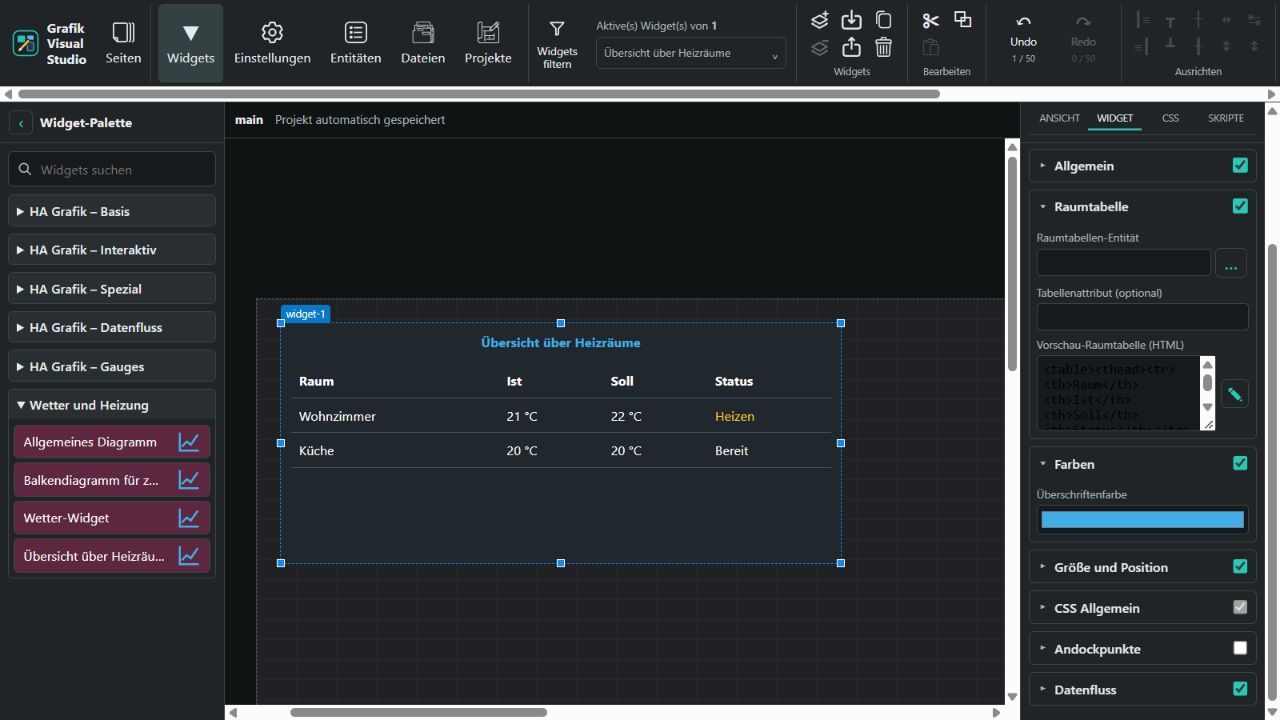
From 0.1.190, this widget displays an existing HTML room table, corresponding to the original RoomStatesHtmlTable data point. Under Room table, select an HA entity and optionally a Table attribute. An empty attribute reads the entity state. A bound widget uses only live data; missing or unavailable values show No room table available. Without an entity binding, edit Preview room table (HTML) directly or through the HTML editor.
The widget does not generate room data/heating profiles or control thermostats. No ioBroker instance such as heatingcontrol.0 is required; the chosen HA source must already provide an HTML table string. Long HTML content generally belongs in an attribute rather than the state.
General → Without card, Colors → Headline color, size and shared CSS settings are available. Tables, text formatting, cell spans and selected colors/spacing are preserved. Scripts, event handlers, forms, embeds and external resources are removed. Input is limited to 200,000 characters; rendering is limited to 5,000 nodes and 40 nesting levels. Large tables scroll within the widget. All settings remain in widget/project exports.
METEORED Weather Widget
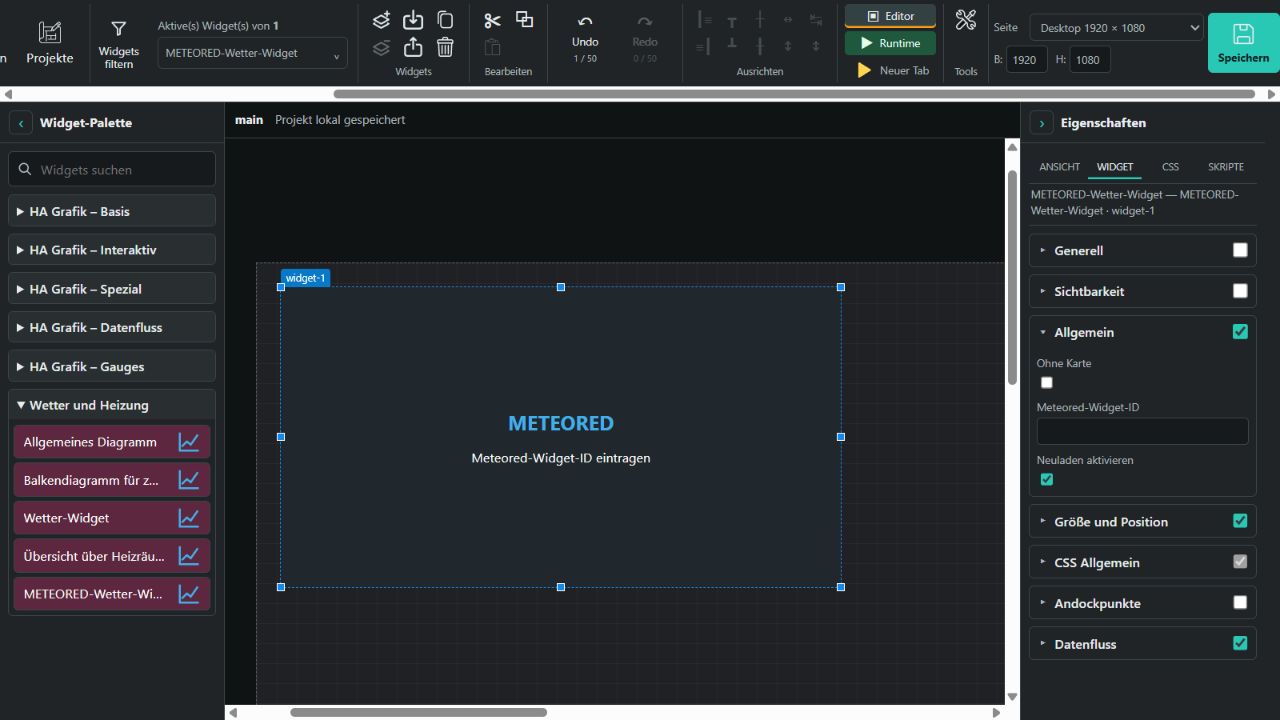
From 0.1.191, General provides Without card, Meteored widget ID and Enable reload. Create your widget at Meteored / daswetter.com and enter only its ID, not full HTML code or a URL. IDs accept 1–128 letters, digits, underscores or hyphens. Allow the domain you actually use to open the runtime in the provider configuration.
The runtime loads the official https://api.meteored.com/widget/loader/ID loader in a separate frame. Internet access and valid provider settings are required. Enable reload is on by default and reloads once per hour. Disabling it stops the timer; ID changes and widget removal clean up the old timer. Ordinary runtime redraws do not restart the frame or timer. The editor shows a configuration preview; empty or invalid IDs load nothing.
The frame uses sandbox="allow-scripts"; the loader page receives the same sandbox through its HTTP header. Meteored code therefore runs without access to Studio's DOM. No HA entity is needed; location, language and appearance come from your Meteored configuration. All three options, size and CSS remain in exports. Fully verifying the provider display requires your real widget ID and allowed domain.
The reproducible builder and validated manifest are in the source repository. The package contract describes interface 0.2.