
Block catalog
Messages since 0.1.48
New Messages category, three DE/EN/FR blocks. Setup, credentials and sending.
Since 0.1.50, also Signal · CallMeBot with separate profile selection. Set up the Signal app.
| Block | Image | Function |
|---|---|---|
WhatsApp · CallMeBotugso_callmebot_action |  | Recipient profile, text/Jinja and logging. MQTT sends through the UGSo CallMeBot Whatsapp app. Keys remain in the backend. |
Signal · CallMeBotugso_callmebot_signal_action |  | Recipient profile, text/Jinja and logging. MQTT sends through the UGSo CallMeBot Signal app. Keys remain in the backend. |
WhatsApp integrationugso_whatsapp_action | 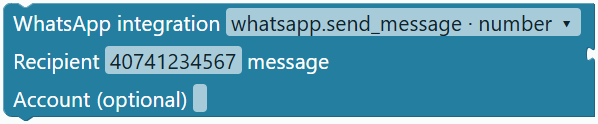 | whatsapp.send_message with number or target, or notify.whatsapp. Recipient without +, message and optional account. Configure its token once in HA. |
Functions since 0.1.47
The current catalogue contains 169 block types. Parameters, export and limits.
| Block | Image | Function |
|---|---|---|
Define action functionprocedures_defnoreturn | 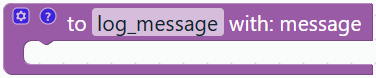 | Reusable HA action sequence; up to eight parameters via the cog. Definition beside the automation. |
Call action functionprocedures_callnoreturn | 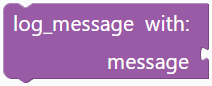 | Dynamic call with argument inputs. Export as an HA sequence with separate parameter bindings. |
Conditional return valueugso_function_result | 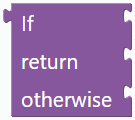 | If / value / otherwise; HA evaluates only the selected value branch. No action sequence. |
Since 0.1.45, duplicate toolbox entries are removed: number under Mathematics, text under Text, colour under Colour, and expandable AND/OR/NOT under Logic. Values contains percentage only. All 163 block types and existing projects remain supported.
Since 0.1.17, entity fields open a search dialog. Load, select and manually enter entities.
Version 0.1.44: 163 block types, all audited for matching HA selection fields. Images show actual UGSo editor blocks. Guides: HA selection, Date and time, Conversion. Dropdown variants do not count as additional types.
Triggers are orange, conditions purple, values green and actions blue. Side connections are typed; triggers and actions form separate vertical chains. Entity IDs are searched or entered manually.
Colours and value functions since 0.1.15
Usage, HA output and full source comparison.
| Block | Image | Function |
|---|---|---|
Random colourugso_colour_random | 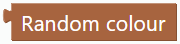 | Three random RGB channels in 0–255. New on each evaluation; not cryptographic. |
RGB colourugso_colour_rgb |  | Clamp percentages to 0–100 and convert to RGB channels. 100/50/0 gives [255,128,0]. |
Blend coloursugso_colour_blend | 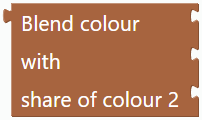 | Linear RGB blend, 0–1 share of colour 2. Red/blue at 0.5 gives [128,0,128], without gamma correction. |
Define value functionprocedures_defreturn | 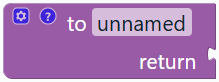 | Original Blockly editor, cog for up to eight parameters, return required. No actions. Jinja expansion during export. |
Call value functionprocedures_callreturn |  | Appears dynamically in Functions. Argument inputs follow parameters. Result as value or Boolean condition; no recursion. |
Original parameter gettervariables_get | 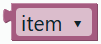 | Original Blockly getter, e.g. from definition context menu. Reads parameters inside functions, HA variables otherwise. Own getter remains usable. |
Math, text, lists and counting loops since 0.1.14
Original Blockly / ioBroker / HA: mapping, examples and limitations.
| Block | Image | Function |
|---|---|---|
Arithmeticugso_math_arithmetic |  | Add, subtract, multiply, divide or raise to a power; numeric values required. |
Single-number mathugso_math_single |  | Square root, absolute value, negation, natural/base-10 log and powers of e/10. |
Trigonometryugso_math_trig | 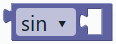 | sin/cos/tan use degrees; inverse functions return degrees. |
Constantsugso_math_constant |  | Pi, e, golden ratio, square root of 2 and of one half. |
Number propertyugso_math_property |  | Even, odd, whole, positive, negative or divisible by a nonzero divisor. |
Roundugso_math_round |  | Round normally/up/down to 0–10 decimal places. Half ties follow HA/Jinja even rounding. |
Math on listugso_math_list |  | Sum, min, max, mean, median or random element; empty sum is 0, other empty results null. |
Modulougso_math_modulo |  | Remainder with Jinja rules; negative results may differ from JavaScript. |
Constrainugso_math_clamp |  | Clamp between two limits; reversed limits are sorted. |
Random integerugso_math_random_int |  | Inclusive integer limits, at most 10000 choices. |
Random fractionugso_math_random_fraction |  | 0 up to but excluding 1, in increments of 0.00001; evaluated anew each time. |
atan2 angleugso_math_atan2 |  | Additional Blockly standard operation; four-quadrant angle in degrees. |
Newlineugso_text_newline |  | Actual LF, CRLF or CR newline value. |
Join textugso_text_join | 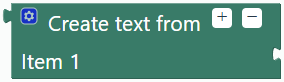 | 0–100 inputs combined as text; gear or +/− controls the input count. |
Append textugso_text_append |  | Assign a new value to an already initialized text variable. |
Text lengthugso_text_length |  | Count Unicode code points rather than JavaScript UTF-16 units. |
Text emptyugso_text_empty | 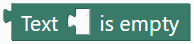 | Check whether text has length zero. |
Contains textugso_text_contains |  | Case-sensitive literal substring check. |
Find textugso_text_index |  | First/last position, counted from 1; missing result is 0. |
Get characterugso_text_char |  | From start/end, first/last/random character; out of range returns empty text. |
Substringugso_text_slice |  | Inclusive bounds, counted from 1; reversed/invalid bounds return empty text. |
Text caseugso_text_case |  | Upper/lower/title case using Unicode rules. |
Trim textugso_text_trim |  | Remove leading/trailing/both whitespace, including tabs and newlines. |
Count textugso_text_count |  | Non-overlapping matches; empty search returns 0. |
Replace textugso_text_replace |  | Replace all literal matches; empty search leaves input unchanged. |
Reverse textugso_text_reverse |  | Additional standard operation; reverses code points, not grapheme clusters. |
Repeat list itemugso_list_repeat |  | Create a list with 0–10000 repetitions. |
Find list itemugso_list_index |  | First/last occurrence, counted from 1; missing result is 0. Uses Python equality. |
Get list itemugso_list_get |  | From start/end, first/last/random item; out of range or empty returns null. |
Set/insert list itemugso_list_set |  | Assign a new list value. Index starts at 1; insertion allows length+1. Invalid index leaves list unchanged. |
Remove list itemugso_list_remove |  | Assign a new list without the item at the 1-based index. Invalid index leaves list unchanged. |
Sublistugso_list_slice |  | Copy inclusive 1-based bounds; invalid/reversed bounds return an empty list. |
Split/joinugso_list_split |  | Split text by a literal delimiter or join list as text; empty delimiter splits code points. |
Sort listugso_list_sort |  | New numeric/text/case-insensitive sorted list, ascending/descending; numeric mode requires numbers. |
Reverse listugso_list_reverse |  | New reversed list; original stays unchanged. |
Count with variableugso_for_range | 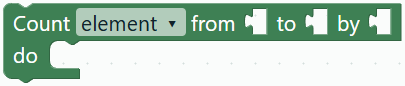 | Fixed integer limits and nonzero step, ascending/descending, at most 10000 iterations; native HA repeat.for_each. |
For each with variableugso_foreach_variable | 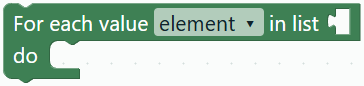 | Assign the named variable from repeat.item before each iteration body. |
Flow, objects and lists added in 0.1.13
ioBroker / original Blockly / native HA comparison and limitations.
| Block | Image | Function |
|---|---|---|
Pauseugso_pause | 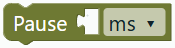 | Explicit duration unit, constant or runtime number. Native HA delay. |
Wait untilugso_wait |  | Boolean condition with timeout and continuation checkbox; stops on timeout when unchecked. |
Stop this runugso_stop |  | Reason and optional error checkbox. Ends the whole run, including outer loops. |
Repeat countugso_repeat | 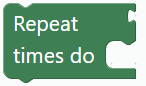 | C-shaped body for HA repeat.count; repeat.index is the 1-based index. |
Repeat while/untilugso_repeat_while | 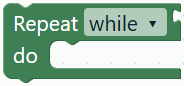 | Boolean input and action body. While checks before; until after. Include a pause in the body. |
For each itemugso_foreach | 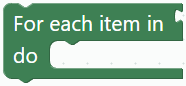 | Iterate a list; current value through template repeat.item, index through repeat.index. |
New objectugso_object_new | 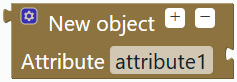 | 0–100 named attributes using gear/+−. Dictionary value, not an HA entity. |
Attribute of objectugso_object_get |  | Read a dictionary key; missing key returns null. Requires a dictionary. |
Object has attributeugso_object_has |  | Boolean test for a dictionary key. |
Object attributesugso_object_keys |  | Key list for list operations and for-each. |
Set attribute in variableugso_object_set |  | Variable selector and value socket; assigns a dictionary copy with the changed key. Initialize as an object first. |
Remove attribute from variableugso_object_remove |  | Reassigns without the key. Does not mutate other variables or entity attributes. |
Range comparisonugso_logic_range |  | Independent < or ≤ for each bound; numbers and runtime numbers. |
Fallback valueugso_logic_default | 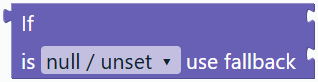 | Select null/undefined or empty/false/zero; null mode preserves valid zero and false. |
Case selectionugso_case | 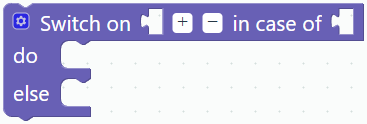 | 1–100 cases using gear/+− and action bodies. First match wins; optional populated default body. |
Create listugso_list_new | 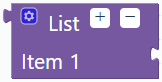 | 0–100 arbitrary items using gear/+−, including nested values. |
List lengthugso_list_length | 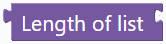 | List length as a runtime number. Strings and dictionaries are not lists. |
List is emptyugso_list_empty | 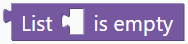 | Boolean test for a list with no items. |
Conversion added in 0.1.12
Guide, ioBroker comparison and pending JSONata.
| Block | Image | Function |
|---|---|---|
To numberugso_convert_number |  | HA float without fallback; complete numeric input with decimal point. Runtime number for variables, comparisons and time calculations. |
To Booleanugso_convert_boolean |  | HA bool for recognized Boolean/text values. Boolean output for conditions and logic. |
To stringugso_convert_string | 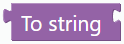 | Jinja text representation of a value; not JSON serialization. |
Type ofugso_convert_type | 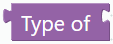 | HA typeof returns Python names such as str, float, bool, dict. HA 2023.4 or newer. |
To datetimeugso_convert_datetime |  | ISO text or Unix seconds/milliseconds to HA local datetime. Typed Time output. |
Datetime to …ugso_convert_date_format |  | Datetime, formatted text, Unix number or date component. Selection changes output type; custom format shows a field. |
Format durationugso_convert_duration |  | Duration in milliseconds or seconds to hh:mm:ss, hh:mm, mm:ss. Preserves sign and total hours/minutes. |
JSON to valueugso_convert_from_json | 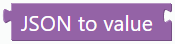 | JSON text to object, list or scalar. Invalid JSON causes an HA error. |
Value to JSONugso_convert_to_json |  | JSON serialization with indentation checkbox. Format datetimes first. |
Date and time added in 0.1.11
Purple time blocks use a typed datetime socket. Usage, boundary rules and comparison.
| Block | Image | Function |
|---|---|---|
Clock comparisonugso_time_compare |  | Fixed HH:mm/HH:mm:ss; comparison or period. End field appears for between/outside. |
Clock comparison with inputsugso_time_compare_input |  | Text boundaries; uncheck current time to expose a datetime socket. Overnight periods supported. |
Current datetimeugso_time_now |  | HA local date, time and timezone. Typed Time output. |
Calendar startugso_time_boundary |  | Start of today, tomorrow, week (Monday), month or year. |
Next sun eventugso_time_sun |  | Rise, set, dawn, dusk, solar noon or midnight from sun.sun, with minute offset. May be tomorrow. |
Shift datetimeugso_time_shift |  | Datetime plus/minus number in milliseconds, seconds, minutes, hours or days. |
Format datetimeugso_time_format |  | Clock time, date, date/time, ISO with timezone or Unix seconds. |
Other blocks
| Block | Editor image | Function |
|---|---|---|
Automationugso_automation | 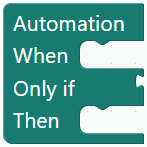 | Root with triggers, optional condition and action chain. Name, ID, description and mode are edited outside the block. |
State reachedugso_state_trigger | 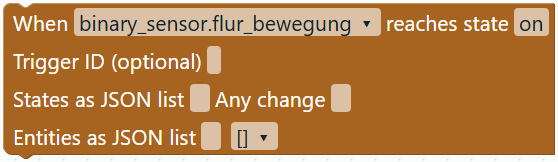 | Starts when the entity reaches the entered state. Generates trigger: state with to. |
Numeric threshold triggerugso_numeric_trigger | 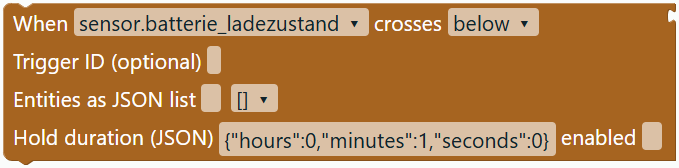 | Starts on threshold crossing, not continuously. Number threshold; trigger: numeric_state. |
Timeugso_time_trigger | 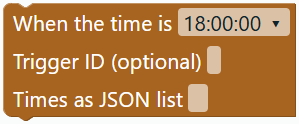 | Daily time trigger, HH:MM or HH:MM:SS; trigger: time. |
Sunrise/sunsetugso_sun_trigger | 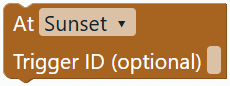 | Sunrise or sunset dropdown; trigger: sun. |
HA startsugso_start_trigger | 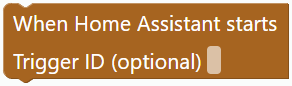 | Starts when Home Assistant starts; trigger: homeassistant. |
State isugso_state_condition |  | Boolean condition: entity has the specified state; condition: state. |
Numeric conditionugso_numeric_condition |  | Boolean above/below threshold condition; condition: numeric_state. |
AND / OR / NOTugso_logic_condition | 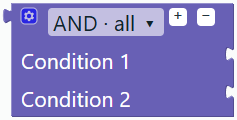 | Combines 1–100 conditions. Plus/minus adds or removes the last input; gear reorders. and, or, not. |
Today’s dateugso_date_condition |  | Date picker with equals/on-or-after/on-or-before, including year. HA template compares today in HA’s time zone. Not a trigger. |
Numberugso_number |  | General numeric value. Fits thresholds and delays; destination-specific validation still applies. |
Percentageugso_percent |  | Slider and exact input for integers 0–100. Number output, e.g. charge level or brightness. |
Multiline textugso_text |  | String value for logs. Enter inserts a newline; Shift+Enter commits. Three visible lines; full text is retained. |
Colourugso_colour |  | Hex colour picker; exports an RGB list to lights, variables or colour calculations. Colour/Value output; fixed numeric inputs remain incompatible. |
On / off / toggleugso_switch_action |  | Entity-domain action: turn_on, turn_off or toggle. Entity must support the action. |
Generic HA actionugso_service_action | 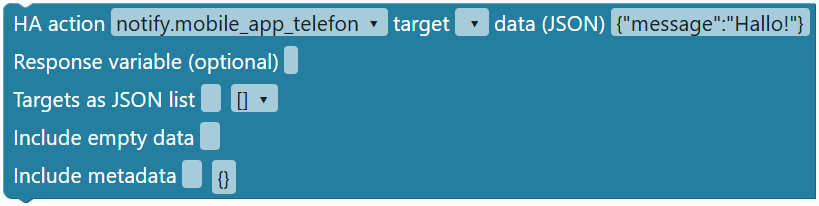 | Action name, optional single entity target, JSON object data. Supports parameters not exposed by dedicated blocks. |
Wait secondsugso_delay_action | 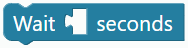 | Delay of 0–86400 integer seconds. Number input with shadow default. |
If / else if / elseugso_if_action | 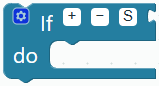 | Plus/minus adds or removes the last else-if branch; S toggles else. Gear reorders. if or choose, first matching branch. |
Log outputugso_log_action | 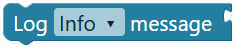 | Text message and severity dropdown; system_log.write. HA may filter Info/Debug. |
Control HA scriptugso_script_action |  | Start without waiting, stop, or call and wait. script.turn_on, script.turn_off or script.name. |
Refresh entityugso_update_action |  | homeassistant.update_entity requests a refresh. Does not set state; support depends on integration. |
Control helperugso_helper_action |  | Switch/counter/timer type controls the action dropdown. Entity ID must match. Timer uses configured duration; parameters use generic action. |
Light with colourugso_colour_action |  | Light entity, Colour input and brightness 0–100. Generates light.turn_on with rgb_color and brightness_pct. Device must support colours. |
Minus or disabling else detaches connected blocks instead of deleting them. Reconnect or remove them before YAML export. Undo restores inputs and connections. Shadow values reappear when a replacement value block is removed.
Variable and template blocks added in 0.1.8
| Block | Editor image | Function |
|---|---|---|
Set variableugso_variable_set | 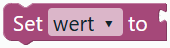 | Action block: assign a number, text/template, Boolean or null to the selected variable. Generates native HA variables. Place before subsequent reads. |
Read variableugso_variable_get | 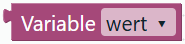 | Side String connector; generates {{ name }} for log messages and further assignments. Dropdown supports rename/delete. |
Template valueugso_template |  | Multiline Jinja template with String connector for log messages or variable assignments. HA evaluates the template during execution; Blocks does not execute it. |
Template conditionugso_template_condition |  | Boolean connector for Only if, If and logical groups. Generates condition: template with value_template. HA must evaluate it as true; not a trigger. |
Using variables and templates
Increment and decrement added in 0.1.10
| Block | Editor image | Function |
|---|---|---|
Change variable by …ugso_variable_change |  | Variable dropdown and Number input with default step 1. Adds the step to a previously assigned numeric variable. Negative steps decrease; 0 and fractional steps are supported. Native HA variable assignment using Jinja. |
The Variablen menu dynamically offers Set, Change by and Read for each created variable. Example action chain: Set test to 10 → Change test by 1 → Log Info message Read test. The message then uses 11; a step of -2 changes 10 to 8.
Assign a number before incrementing. Undefined variables, text (including "10"), Boolean and null are not automatically converted or initialized as 0; Jinja evaluation in HA fails for those values. Creating a variable alone does not assign it. JSON retains the increment block; importing our exact YAML output recreates it. Other calculation templates remain template blocks. The planned typed-variable dialog is still pending.
Choose Variablen → Variable erstellen … in the German editor to create, for example, leistung. Names use ASCII letters, digits and _, with no leading digit. Place Set variable in Dann and connect a number or template. Connect Read variable to a subsequent log message. Creating a name alone does not assign a value. Variables belong to the HA automation run; they are not persistent helpers.
Example: Set leistung to Template containing {{ states('sensor.leistung') | float(0) }}, followed by Log Info message Read leistung. HA reads the sensor during assignment and uses that value in the next step. A template condition can check {{ states('sensor.leistung') | float(0) > 100 }}.
Renaming updates variable blocks. References in free-form Jinja text must be changed manually. Action variables become available after assignment, not in preceding automation conditions. Blocks validates structure and YAML, not Jinja syntax or HA entities. Import supports text/template, number, Boolean or null for each variable value. Multiple entries are supported since 0.1.34 in the grouped JSON block; list/object values and automation-level variables remain rejected. Native HA variables and scope.
Logic blocks added in 0.1.9
| Block | Editor image | Function |
|---|---|---|
Compareugso_compare |  | Compares two values using =, ≠, <, ≤, > or ≥. Accepts numbers, text, variables and single template expressions. Boolean result exported as an HA template condition or variable value. |
Compact AND / ORugso_binary_logic | 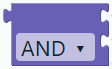 | Two Boolean inputs. Generates native HA and/or groups as conditions and parenthesized Jinja as variable values. Expandable groups remain available. |
NOTugso_not |  | Negates a Boolean condition. Native HA not group as condition, Jinja not as variable value. |
true / falseugso_boolean |  | Boolean constant with dropdown for conditions and variables. Assignments retain native YAML Boolean types. |
nullugso_null | 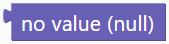 | No value: YAML null in assignments, Jinja none in expressions. Different from 0 and false; not a Boolean condition. |
If → value → otherwise valueugso_ternary | 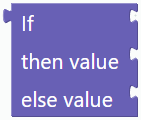 | Selects one of two values using a Boolean condition. For variables, log messages and comparisons; generates a Jinja expression, not an action sequence. |
Example: Assign leistung first. Then use Set meldung to If, with Compare Variable leistung > Number 100 as test, text High power as true value and Low power as false value. Follow with Log Info message Variable meldung. HA evaluates the choice during execution.
Comparisons do not automatically convert types: number 20 differs from text "20". Convert sensor states with float or int where appropriate. Expression inputs accept a single Jinja output, for example {{ states('sensor.leistung') | float(0) }}. Multiline statements and mixed text remain supported in standalone template value blocks. Dynamic choices are not supported as fixed numeric thresholds or delays.
JSON projects preserve block shapes and connections. YAML preserves native meaning: reopening maps comparisons and value choices to template blocks and AND/OR/NOT to condition groups. HA logical conditions.
Original plugins and integration
The six existing plugins are pinned to 13.2.0, the four theme/zoom plugins and workspace search to 13.3.0, all bundled locally with Blockly 13.3.0. License: Apache-2.0. Links below lead directly to upstream repositories. HA blocks, YAML adapters and plus/minus controls are UGSo code.
| Originalplugin | Usage / status |
|---|---|
| workspace-search | Finds placed blocks in the workspace; separate from toolbox search. Available since 0.1.21. |
| toolbox-search | Search at the bottom of the menu, German search hints; results preserve dropdowns and shadows. |
| field-multilineinput | Used by Text; newlines remain in projects and YAML. |
| field-slider | Used by Percentage; 0–100 with exact numeric entry. |
| field-colour | Used by Colour; converts hex to RGB for lights. Random/RGB/blend use own HA generators since 0.1.15. |
| theme-dark | Dark workspace/flyout, part of the saved theme selector. |
| theme-modern | Original palette with stronger borders; own blocks use theme styles. |
| theme-tritanopia | Original standard-group palette, matching UGSo extension colours and adaptive label contrast. |
| zoom-to-fit | Additional fit control next to zoom controls; keyboard accessible. |
| field-date | Used by date comparison; UGSo subclass guards the deferred picker call. |
| field-dependent-dropdown | Used by Helper; type determines actions. No live HA selection. |
| block-plus-minus | Interaction implemented in our HA blocks; original plugin is not installed. Gear remains available. |
| block-dynamic-connection | Not integrated yet. Automatic growing connections, text joining and lists are planned. |
The colour field also uses the transitive dependency field-grid-dropdown. HA output is generated by our adapters; bundled JavaScript generators are not used.
Custom blocks since 0.1.18 extend the 163 native types. Editor and package catalog.
Trigger IDs and multiple targets
Since 0.1.28: States as JSON list, e.g. ["1_single","1_double"]; optional trigger IDs on every standard trigger; Triggered by ID as a native trigger condition (single ID or JSON list). Generic HA actions support Targets as JSON list, optional metadata and explicitly preserved empty data objects. Four-button automations with four choose branches can be fully imported.
Single automation · HA editor output omits the top-level id. Trigger IDs remain. Projects and automations.yaml list output retain an existing automation ID.
| Block | Image | Description |
|---|---|---|
Triggered by IDugso_trigger_condition |  | condition: trigger · id |
Home Assistant: Trigger IDs · Trigger condition
Pool pumps, events and multiple times
Since 0.1.30: enable Times as JSON list for several fixed times, e.g. ["10:00:00","13:00:00","19:00:00"]. Any change omits to; Entities as JSON list watches multiple entities. Without to, HA also reacts to attribute changes. Event triggers support e.g. timer.finished with an optional JSON data filter. Native time conditions preserve before/after: fixed times, after inclusive and before exclusive, including overnight windows. Equal bounds mean all day. Time helpers, time templates and weekday filters remain outside the supported import. The full pool-pump automation retains multiline timer templates and nested choose branches.
| Block | Image | Description |
|---|---|---|
Event triggerugso_event_trigger |  | trigger: event · event_type · event_data |
Native HA time conditionugso_native_time_condition |  | condition: time · before · after |
Home Assistant: triggers · Time condition
Temperature changed
Since 0.1.31, the new block supports native temperature.changed. Target (JSON): entity_id string or list. Threshold (JSON): type any, above, below, between or outside. any requires only type; above/below require value, between/outside value_min and value_max. Numbers: number plus unit_of_measurement (°C/°F). References: entity (sensor, number or input_number). Optional trigger ID. Since 0.1.39, area, device, floor and label targets are supported. MQTT topics, qos/retain/evaluate_payload and multiline JSON/Jinja payloads are preserved.
| Block | Image | Description |
|---|---|---|
Temperature changedugso_temperature_trigger | 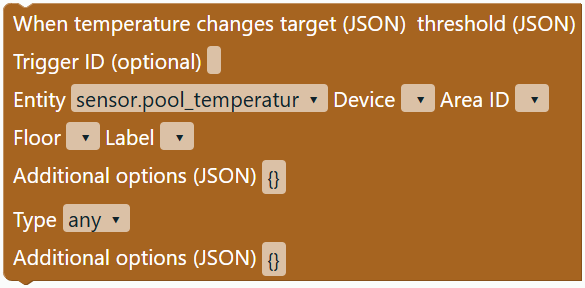 | temperature.changed |
Home Assistant: temperature.changed
Calendars and response variables
0.1.32: calendar.event_started / calendar.event_ended. Target: JSON object with entity_id as text or a list. Options are optional: offset with combined days, hours, minutes and seconds or HH:MM:SS; offset_type is before or after. Zero offsets, omitted options and optional trigger IDs are retained.
The Response variable (optional) field in HA action generates response_variable, for example termine for calendar.get_events. An empty field omits it from YAML. The full holiday automation retains both calendars, HA startup, zeitpunkt/termin_aktiv variables, multiline Jinja templates, choose/default and queued mode. Home Assistant processes calendars and templates.
| Block | Image | Function |
|---|---|---|
Calendar event starts/endsugso_calendar_trigger | 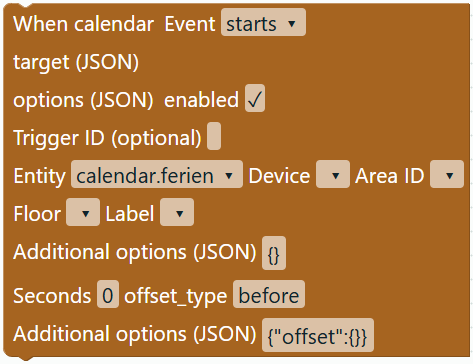 | calendar.event_started / calendar.event_ended |
Home Assistant: calendar.event_started · calendar.event_ended · calendar.get_events
Numeric triggers with hold duration
Since 0.1.33, Number above/below threshold accepts multiple entities: enable Entities as JSON list and enter, for example, ["sensor.temp_1","sensor.temp_2"]. Without the checkbox, the single entity remains active. Hold duration (JSON) with enabled generates optional for: for example {"hours":0,"minutes":1,"seconds":0}, 60 or "00:01:00". Combined days/hours/minutes/seconds/milliseconds, zero entries and HA output templates are retained. Disabling the checkbox omits for. Still exactly one fixed numeric threshold (above or below); trigger IDs and choose branches are preserved.
Home Assistant fires after a threshold crossing once the value has remained on that side of the threshold for the whole duration. Restarting HA or reloading automations resets a running hold timer. Home Assistant: numeric_state.
Multiple variables in one action
Since 0.1.34, the Variables menu includes Set variables (JSON). The JSON object contains 1–100 variable names with text, HA template, number, Boolean or null values. Multiple entries remain a single native variables action, including their order. Single assignments still use the existing Set block. Since 0.1.39, list/object values and automation-level variables are supported; see Extended HA and Jinja. Edit names and templates directly in JSON; the Blockly rename dialog does not change this free-form JSON text. Imported names are also registered in Blockly.
The timer example retains h/m, both watched entities, the condition and restart mode. Omitted conditions become an empty list.
| Block | Image | Function |
|---|---|---|
Set variables (JSON)ugso_variables_action | 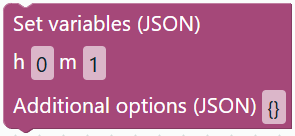 | Variables with individual value fields; lists and objects as JSON, new names through additional options. |
Delay as duration text or template
Since 0.1.35, Blocks imports native delay duration strings into the new block under Timeouts. Examples: 00:00:02, 01:30 (one hour and 30 minutes), 00:00:00.250 or an HA output template. The duration remains a string in YAML and the saved project. The current HA run waits before continuing with subsequent actions. Existing seconds and unit blocks remain available. This extension applies to delay, not the wait-until block timeout.
The timer-reset example first turns off timer_reset, waits two seconds and then turns off both targets. The entity ID input_boolean.timer_runing is preserved exactly as provided.
| Block | Image | Function |
|---|---|---|
Wait duration text / templateugso_delay_text |  | Native delay duration string / HA template. |
Dynamic HA action names
Since 0.1.36, the first field in HA action accepts a static action name or a Jinja template. The field supports multiline editing. Examples: input_boolean.turn_on, input_boolean.turn_ followed by a Jinja expression, or a full if/else template. Target, data, metadata and response variable retain their existing fields. Templates and line breaks survive import, project storage and YAML export.
The Shelly example retains the action prefix input_boolean.turn_ combined with the state lookup and the nested choose branches. Home Assistant evaluates the action name at runtime; it must then resolve to an available service name. Blocks checks static names and template delimiters, not Jinja syntax or runtime results. Target entities must still be fixed IDs; templating the entire data object is outside this extension.
Home Assistant: choosing the action with a template
Time pattern trigger
Since 0.1.37, Triggers includes a native time_pattern block. Its JSON field can contain {"seconds":"/30"} to match seconds 0 and 30 of each minute. Optional keys are hours, minutes and seconds; at least one is required. Fixed values: hours 0–23, minutes/seconds 0–59, as numbers or strings without leading zeroes. * matches every value; /n matches values divisible by n (n > 0 within the field range). Omitted units and number/string types remain unchanged; Home Assistant applies its runtime defaults. An optional trigger ID is supported.
The LCD automation with four input_text.set_value actions and mode: restart passes full round-trip checks: Jinja, formatting, slicing, padding and line breaks are preserved. Home Assistant executes the templates and schedule.
| Block | Type |
|---|---|
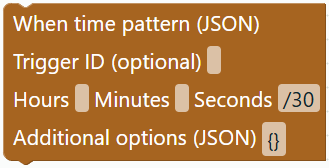 | ugso_time_pattern_trigger |
Dynamic target entities
Since 0.1.39, Target in the generic HA action accepts a static entity ID or an HA template, such as {{ ziel_tv }}. Its entity dialog supports multiline input. The JSON target list can also combine static IDs and templates. Jinja remains unchanged and is evaluated by Home Assistant at execution time. Imported dynamic targets use the generic HA action because specialized switching blocks cannot reliably determine the domain.
The bedroom-TV automation with a multiline summer-mode variable, 21:30 and 00:30 triggers and two choose branches is verified. Target templates, variable text and time conditions survive import, project reload and export. Entity fields in triggers and conditions still require static IDs.
Home Assistant: templates in action targets.
Extended HA and Jinja since 0.1.39
| Block | Image | Function |
|---|---|---|
HA stateugso_ha_state_trigger | 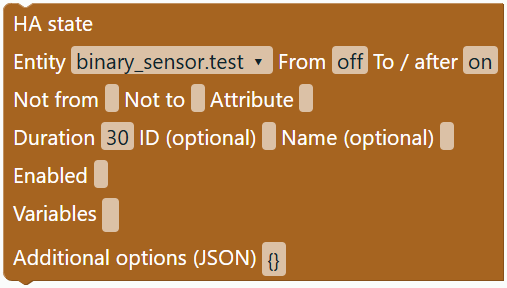 | Labelled HA inputs and additional JSON options. Supported structure is checked; verify integration and execution in HA. |
HA numeric_stateugso_ha_numeric_state_trigger | 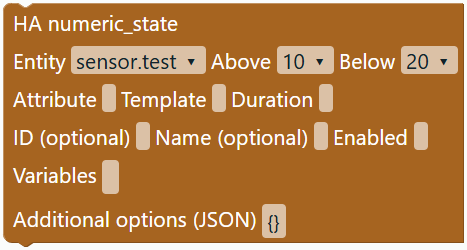 | Labelled HA inputs and additional JSON options. Supported structure is checked; verify integration and execution in HA. |
HA timeugso_ha_time_trigger | 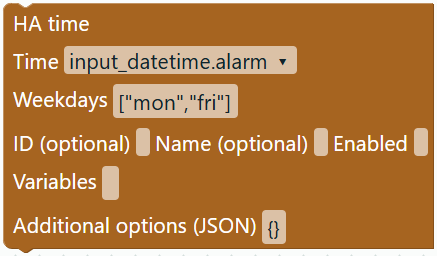 | Labelled HA inputs and additional JSON options. Supported structure is checked; verify integration and execution in HA. |
HA sunugso_ha_sun_trigger | 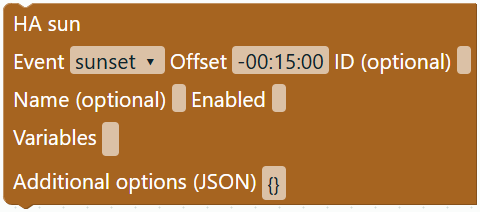 | Labelled HA inputs and additional JSON options. Supported structure is checked; verify integration and execution in HA. |
HA homeassistantugso_ha_homeassistant_trigger | 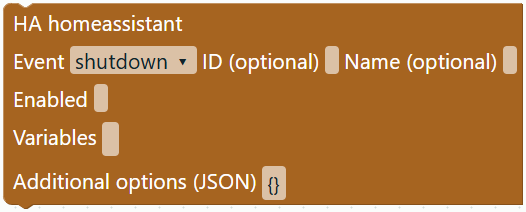 | Labelled HA inputs and additional JSON options. Supported structure is checked; verify integration and execution in HA. |
HA mqttugso_ha_mqtt_trigger | 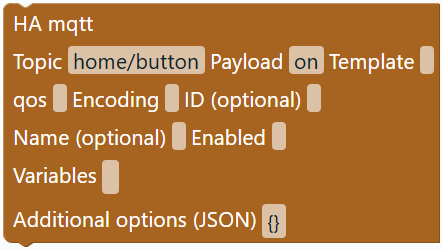 | Labelled HA inputs and additional JSON options. Supported structure is checked; verify integration and execution in HA. |
HA templateugso_ha_template_trigger | 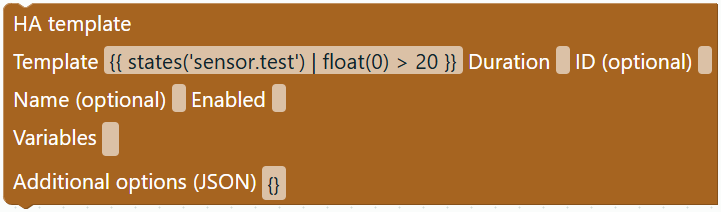 | Labelled HA inputs and additional JSON options. Supported structure is checked; verify integration and execution in HA. |
HA webhookugso_ha_webhook_trigger | 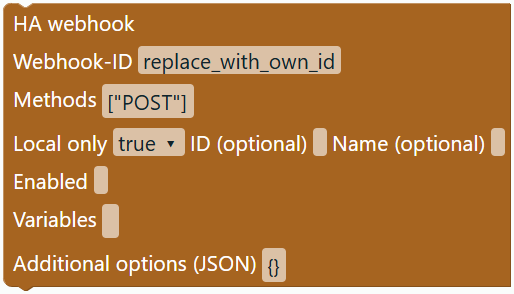 | Labelled HA inputs and additional JSON options. Supported structure is checked; verify integration and execution in HA. |
HA zoneugso_ha_zone_trigger | 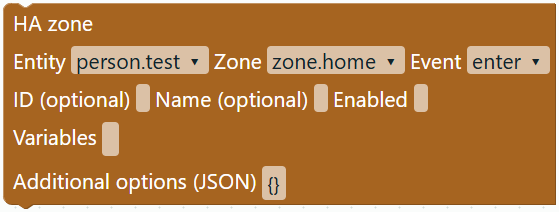 | Labelled HA inputs and additional JSON options. Supported structure is checked; verify integration and execution in HA. |
HA deviceugso_ha_device_trigger | 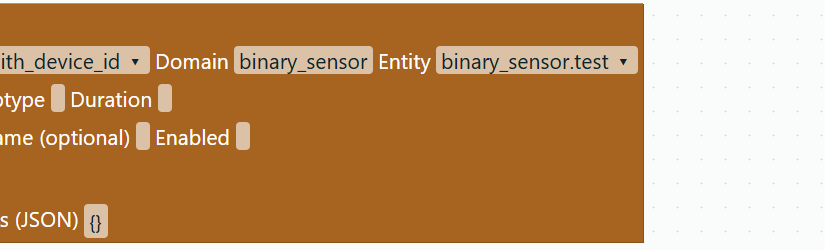 | Labelled HA inputs and additional JSON options. Supported structure is checked; verify integration and execution in HA. |
HA tagugso_ha_tag_trigger | 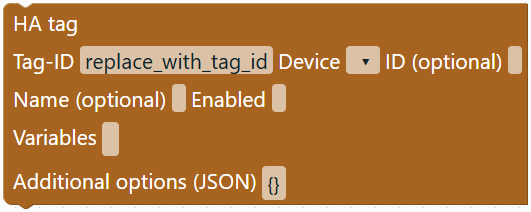 | Labelled HA inputs and additional JSON options. Supported structure is checked; verify integration and execution in HA. |
HA conversationugso_ha_conversation_trigger | 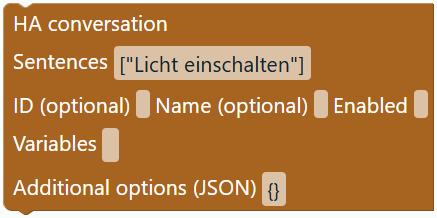 | Labelled HA inputs and additional JSON options. Supported structure is checked; verify integration and execution in HA. |
HA geo_locationugso_ha_geo_location_trigger | 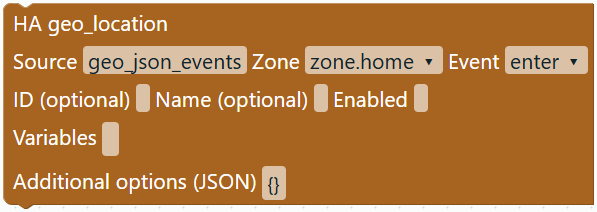 | Labelled HA inputs and additional JSON options. Supported structure is checked; verify integration and execution in HA. |
HA calendarugso_ha_calendar_trigger | 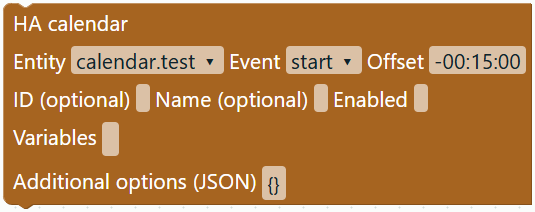 | Labelled HA inputs and additional JSON options. Supported structure is checked; verify integration and execution in HA. |
HA eventugso_ha_event_trigger | 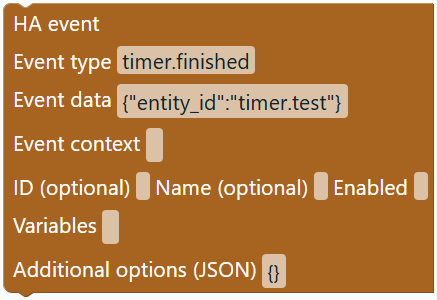 | Labelled HA inputs and additional JSON options. Supported structure is checked; verify integration and execution in HA. |
HA trigger (extended)ugso_ha_trigger | 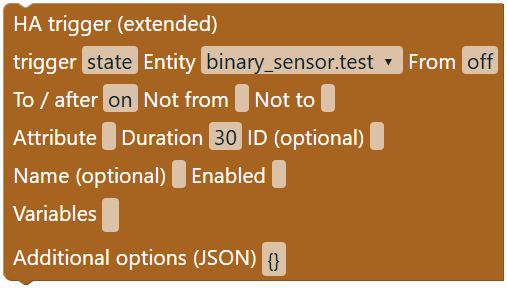 | Labelled HA inputs and additional JSON options. Supported structure is checked; verify integration and execution in HA. |
HA condition (extended)ugso_ha_condition | 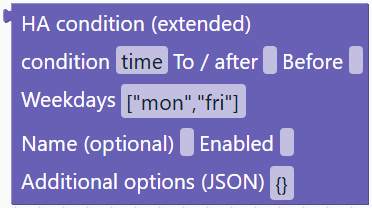 | Labelled HA inputs and additional JSON options. Supported structure is checked; verify integration and execution in HA. |
HA step (extended)ugso_ha_action | 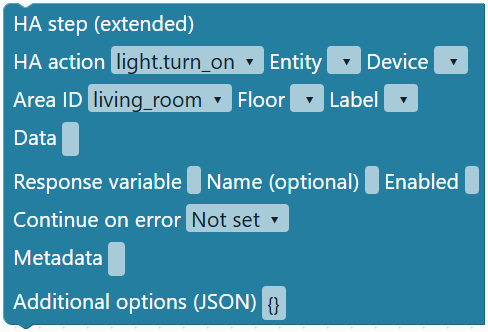 | Labelled HA inputs and additional JSON options. Supported structure is checked; verify integration and execution in HA. |
HA action target type target data step optionsugso_target_action | 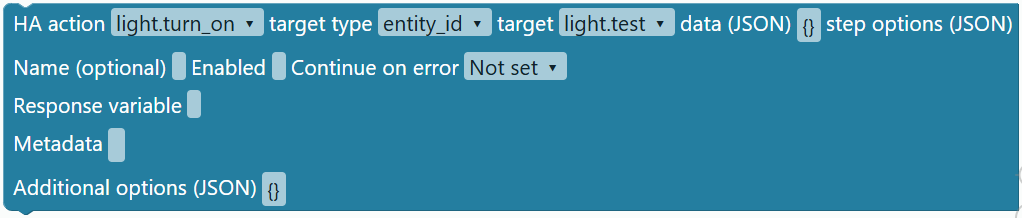 | Extended HA fields or original Jinja. Supported structure is checked; verify integration and execution in HA. |
HA integration target options enabledugso_integration_trigger | 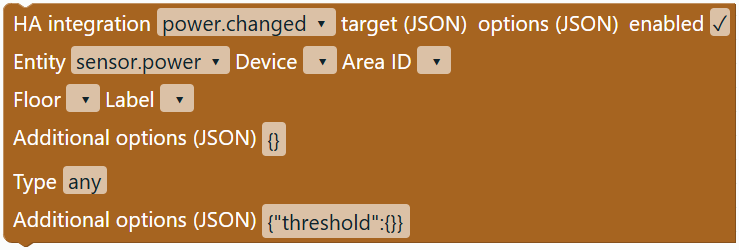 | Extended HA fields or original Jinja. Supported structure is checked; verify integration and execution in HA. |
Action groupugso_sequence | 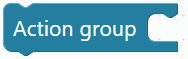 | Extended HA fields or original Jinja. Supported structure is checked; verify integration and execution in HA. |
Parallel branch 1 branch 2ugso_parallel | 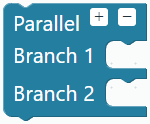 | Extended HA fields or original Jinja. Supported structure is checked; verify integration and execution in HA. |
Wait for trigger optionsugso_wait_trigger | 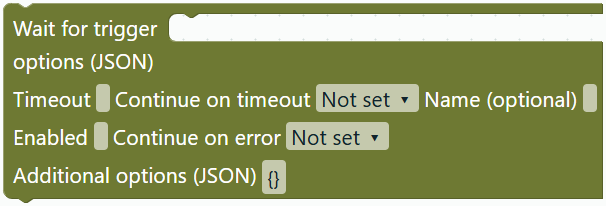 | Extended HA fields or original Jinja. Supported structure is checked; verify integration and execution in HA. |
Continue only ifugso_condition_step |  | Extended HA fields or original Jinja. Supported structure is checked; verify integration and execution in HA. |
Fire event dataugso_fire_event |  | Extended HA fields or original Jinja. Supported structure is checked; verify integration and execution in HA. |
Assist respondsugso_assist_response | 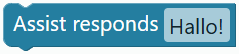 | Extended HA fields or original Jinja. Supported structure is checked; verify integration and execution in HA. |
Activate sceneugso_scene |  | Extended HA fields or original Jinja. Supported structure is checked; verify integration and execution in HA. |
Jinja (experimental)ugso_jinja_value |  | Extended HA fields or original Jinja. Supported structure is checked; verify integration and execution in HA. |
Jinja condition (experimental)ugso_jinja_condition |  | Extended HA fields or original Jinja. Supported structure is checked; verify integration and execution in HA. |
Jinja structures (experimental)
15 new types since 0.1.41. Outer value/condition blocks connect nested parts to HA. Jinja expressions and template parts have separate typed sockets. Import, editing and limits.
| Block | Image | Function |
|---|---|---|
Composed Jinjaugso_jinja_composed_value | 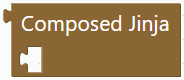 | Outer value block: complete template; retains the original until editing. |
Composed Jinja conditionugso_jinja_composed_condition | 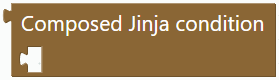 | Outer Boolean block for an HA template condition. |
Entity functionugso_jinja_entity |  | Search an entity and choose states/state_attr/is_state/is_state_attr; connect additional arguments. |
Filter arguments valueugso_jinja_filter | 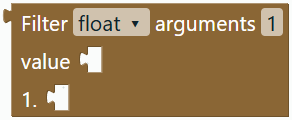 | Choose a filter; connect 0–3 positional arguments and a Jinja expression. |
Literal (Jinja)ugso_jinja_literal | 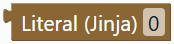 | Number, quoted string, true/false or none in Jinja syntax. |
Jinja variableugso_jinja_variable | 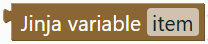 | Simple Jinja variable name as text; no automatic Blockly renaming. |
Now (Jinja)ugso_jinja_now | 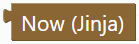 | Generate now(); Home Assistant provides the time when evaluating. |
Expressionugso_jinja_binary | 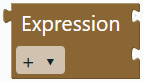 | Calculate, compare or combine two Jinja expressions with and/or. |
Expressionugso_jinja_unary |  | Apply not, a negative or positive sign to a Jinja expression. |
Value if elseugso_jinja_select | 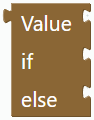 | Select a value: yes if test else no. All three expression inputs are required. |
Outputugso_jinja_output | 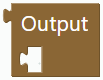 | Output an expression as {{ ... }} inside a template. |
Jinja textugso_jinja_text | 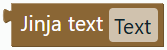 | Literal text including whitespace; do not insert Jinja delimiters here. |
Template parts thenugso_jinja_join | 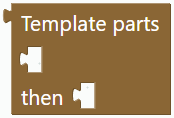 | Join two template parts in the displayed order. |
If text elseugso_jinja_if | 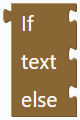 | if/else with a condition and nested text/output parts. |
For in text when emptyugso_jinja_for | 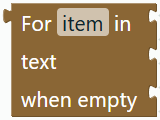 | Simple for loop: variable, expression, template body and optional empty case. |